spa 2102 problem

Status
Not open for further replies.

lane

SMB User
Basic Certified
Joined
Mar 19, 2009
Messages
4
Reaction score
0
I have a test installation as proof of concept. Using SPA 2102 as SIP phones. Here's the problem. The extension rings - I can hear the physical handset ringing and I can hear the ring tone from the calling phone. But it rings only twice. Then in the calling phone, I can hear the system throwing me to the voice mail.

Based on the logs:

11/29/2019 5:33:13 PM - [CM503003]: Call(C:18): Call to <sip:[email protected]:0> has failed; Cause: 487 Request Terminated/INVITE from 10.1.1.205:5060

Do note that the phone did ring. And if I accept the call after the first ring, I can get the call successfully. However, if I don't get the call after the second ring, it goes to voice mail right away.
I have six of these SPA 2102. All showing the same behavior.

All extensions are configured with 40 seconds before voicemail.

help, please?

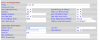
here's my SPA 2102 configuration (attached)13326
 
I suggest if you are doing a POC with 3CX for the sake of yours and your customers experience (if you are doing this for a customer and not in-house) is you get some fully supported phones. https://www.3cx.com/sip-phones/

These are not even on the supported list of (legacy supported Cisco phones) so if you can do as advised it would be the best option. You can get a couple of Yealinks or Grandstreams online at very reasonable prices, it will also demonstrate how PnP provisioning works and how easy it is to set the phones up when supported.
 
Last edited:
Are these all local to the PBX? Is this a new issue, were they working correctly? Are all of the ATAs behing the same way? Were these "factory fresh" when installed?
I use about a dozen of these and have found them to be rock solid over the years.. The power supplies however don't seem to last too long. there are a lot more settings than you have posted, and if things have been changed from the defaults, then that may be the cause. Are you using both FXS ports on the device?
 
Are these all local to the PBX? Is this a new issue, were they working correctly? Are all of the ATAs behing the same way? Were these "factory fresh" when installed?
I use about a dozen of these and have found them to be rock solid over the years.. The power supplies however don't seem to last too long. there are a lot more settings than you have posted, and if things have been changed from the defaults, then that may be the cause. Are you using both FXS ports on the device?

thanks leejor. Yes, it's on a local PBX. Everything on a single LAN and all SPA's on the physical network segment and same IP subnet. Also, I've tested on calling an extension that is on the same SPA (using both FXS), and calling to/from another SPA device the onnetwork.
On the power supply, I've seen before that the red light just stops and replacing the power supply was the solution. However, in this case, all lights are yellow and are on, also on the web management of the SPA's, all ports says it registered successfully to 3CX.
 
I suggest if you are doing a POC with 3CX for the sake of yours and your customers experience (if you are doing this for a customer and not in-house) is you get some fully supported phones. https://www.3cx.com/sip-phones/

These are not even on the supported list of (legacy supported Cisco phones) so if you can do as advised it would be the best option. You can get a couple of Yealinks or Grandstreams online at very reasonable prices, it will also demonstrate how PnP provisioning works and how easy it is to set the phones up when supported.

thank you eddv123. I didn't know that these are not supported anymore. We were able to make this work on an installation years ago (v8 I think) so I was in assumption this is still supported, my bad that I didn't check. so this could be because such devices are unsupported anymore. thanks again.
 
Being "non-supported", just means you are on your own if there are problems, it doesn't mean it won't work.

You didn't say if the problem is with all of the 2102's, or just one. if it is just one, then do a factory reset, and fill in the basic, required fields...server, user info, password. See if the issue still exists. Be sure that the ATA has the most recent firmware. Updates haven't been released for a while, but you should be certain it has the last one that came out.
 
Being "non-supported", just means you are on your own if there are problems, it doesn't mean it won't work.

It means a little more than that:

* Supported provisioning methods will not work (unless you write custom templates which renders you even more un-supported) if that means such a thing. Custom templates if written also can break between version upgrades.

* No template with 3CX - Manual configuration of each phone (you can try other Cisco models but that itself can lead to issues).

* No support for CTI mode (basically getting the phones to work between 3CX clients web, sofphone) and the desktop phones.

* Will things such as call transfer, pickup, parking bays work ? no guarantees.

Yes you could possibly get the phone working for dialtone, but if you are evaluating 3CX and want to unlock its full potential go with a fully supported model in my opinion.
 
If someone is using ATA's, and they have already configured them (manually), then it's obviously not a large office installation, where people are better off using auto-provisioned VoIP sets. As long as they they understand the limitations of using unsupported devices .. As long as a device is SIP compliant, and you are familiar with dataifilling the device (using a GUI), and don't expect to be able to submit a trouble ticket to 3CX, and have the time , then.... have a go at it.

You should also be doing this for your use, and perhaps not trying to sell unsupported sets, to a client
 
  • Like
Reactions: complex1
Hi @lane

If you are using unsupported phones you will have to manually troubleshoot them to see why they don't work. There is no guarantee that they ever will, but in the long run it is good advice to only use supported devices. Even if you get them running, they might still not play well with the system, so unless you are doing this for educational purposes, I would suggest to not spend your time on models that are not supported.

In your case, run a capture to see what happens. The PBX made the decision to divert to voicemail based on something, and the capture may tell you what that is. Perhaps the phone itself is rejecting the call? Verbose mode logs may also reveal a few useful details. In the capture pay attention to what the phone IP replies back to the PBX just before the ringer stops. That should reveal the reason.
 
Did you do a factory reset, then provision the basic settings?
 
Extensions > 105 > Authentication > make sure that the username is 105 and not some string of random numbers and letters.

One of the patches propted to strengthen ext usernames and it could have changed the username no big deal to provisioned phones just have to reboot, but manual configs are a bit harder.
 
Status
Not open for further replies.

Latest Posts

Forum statistics

Threads
111,934
Messages
589,821
Members
164,813
Latest member
divdigital