- Joined
- Apr 17, 2024
- Messages
- 6
- Reaction score
- 0
Good morning
I have a TOA IP speaker, I am trying to make a call on the speaker using SIP protocol.
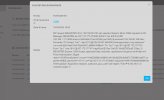
The first time I got a connection attempt message which blacklisted my IP.
I recreated a system and now nothing, as if no connection is made.
Nothing is entered in the event log to detect a connection attempt.
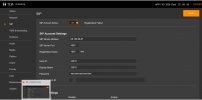
I enter the following information into the IP speaker but the connection is still unsuccessful.
I'm a beginner so I don't understand much.
I think that the IP address must be blocked at 3CX because the first time it clearly sees a connection attempt and since then I have never been able to find a trace even after having recreated a new system.
Thank you for your help. I am in Free 10 users.
I have a TOA IP speaker, I am trying to make a call on the speaker using SIP protocol.
The first time I got a connection attempt message which blacklisted my IP.
I recreated a system and now nothing, as if no connection is made.
Nothing is entered in the event log to detect a connection attempt.
I enter the following information into the IP speaker but the connection is still unsuccessful.
I'm a beginner so I don't understand much.
I think that the IP address must be blocked at 3CX because the first time it clearly sees a connection attempt and since then I have never been able to find a trace even after having recreated a new system.
Thank you for your help. I am in Free 10 users.