- Joined
- Jun 11, 2008
- Messages
- 75
- Reaction score
- 2
I have followed the threads here but still need some help.
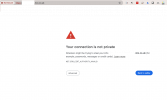
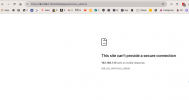
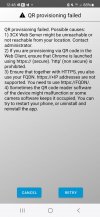
Like this user on ios im getting similar error on android https://www.3cx.com/community/threads/ssl-connection-problem.125627/
From this thread i establish i need an SSL cert likely
Theres a useful post here with some instructions at the end https://www.3cx.com/community/threads/install-new-ssl-certificate-on-debian-linux-server.116980/
Our 3cx is running on windows on the things i dont know are
(1) what is the domain i need to buy the ssl for im assuming it is the FQDN companyname.3cx.co.uk ?
Im confused why this is not made easy in the app itself ?
Ps im on V18 update 9 im assuming this will fix users setting up on their mobiles
Thanks Alexx
Like this user on ios im getting similar error on android https://www.3cx.com/community/threads/ssl-connection-problem.125627/
From this thread i establish i need an SSL cert likely
Theres a useful post here with some instructions at the end https://www.3cx.com/community/threads/install-new-ssl-certificate-on-debian-linux-server.116980/
Our 3cx is running on windows on the things i dont know are
(1) what is the domain i need to buy the ssl for im assuming it is the FQDN companyname.3cx.co.uk ?
Im confused why this is not made easy in the app itself ?
Ps im on V18 update 9 im assuming this will fix users setting up on their mobiles
Thanks Alexx
Last edited: