- Joined
- Sep 25, 2026
- Messages
- 1
- Reaction score
- 0
Hi everyone,Self-hosted 3CX V20 Update 8 (Build 1121) on Debian 12, Enterprise Annual licence (16 simultaneous calls), valid until 25/04/2027,
BACKGROUND
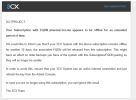
We received the standard warning email stating that our subscription had been offline for an extended period, and that the FQDN would be released if the system remained offline for another 10 days. The system stayed offline past that window, the licence was renewed late, and the certificate was never renewed in time. That is how we ended up in the current state.
ERROR REPORTED BY THE SYSTEM
"SSL certificate renewal for xxxxxxx.ma failed - The DNS zone that contains your FQDN is full. Certificates cannot be generated using this DNS zone. If the DNS was available when you installed 3CX, then your FQDN should have been reserved in this zone. Check that the maintenance or key is not expired and make sure you have not activated your license on another server."
QUESTIONS1. Is the "DNS zone is full" condition something that can only be resolved on the 3CX side, and what is the correct channel to request it?2. Can our existing FQDN be re-reserved for this subscription, or do we need a new FQDN in a different zone?3. If we move to our own domain instead, what is the supported procedure to change the FQDN on an existing self-hosted V20 installation, and can we then manage the certificate ourselves?
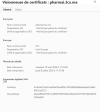
Since the desktop app never reaches the PBX, I assume no locally generated certificate can help in this situation, but I would welcome confirmation before considering any workaround.
BACKGROUND
We received the standard warning email stating that our subscription had been offline for an extended period, and that the FQDN would be released if the system remained offline for another 10 days. The system stayed offline past that window, the licence was renewed late, and the certificate was never renewed in time. That is how we ended up in the current state.
ERROR REPORTED BY THE SYSTEM
"SSL certificate renewal for xxxxxxx.ma failed - The DNS zone that contains your FQDN is full. Certificates cannot be generated using this DNS zone. If the DNS was available when you installed 3CX, then your FQDN should have been reserved in this zone. Check that the maintenance or key is not expired and make sure you have not activated your license on another server."
QUESTIONS1. Is the "DNS zone is full" condition something that can only be resolved on the 3CX side, and what is the correct channel to request it?2. Can our existing FQDN be re-reserved for this subscription, or do we need a new FQDN in a different zone?3. If we move to our own domain instead, what is the supported procedure to change the FQDN on an existing self-hosted V20 installation, and can we then manage the certificate ourselves?
Since the desktop app never reaches the PBX, I assume no locally generated certificate can help in this situation, but I would welcome confirmation before considering any workaround.