


- Joined
- Nov 22, 2019
- Messages
- 27
- Reaction score
- 8
Hi
We've received several remarks from our users regarding strange behaviour with the webclient on incoming calls and more specific to not hearing the ringtone and thus missing quite a few calls.
The webclient audio/video settings are correctly set (default devices) and the browserextension is not being used, the browser used is Google Chrome.
Initially when you login to the webclient for the first time certain site settings aren't yet set, when this is the case and an incoming call takes place you hear the ringtone wether the browser is minimized or not, or when the webclient is not the active browser tab. But before the browserextension was in place there was the initial blue notification in the webclient (where the blue browserextension notification now is) to turn on notifications in general. This is (imo) a great feature because it gives an extra notification through Windows itself on an incoming call, from where you can also pickup the call without having to go to the webclient tab.
The strange behaviour however occurs when you first open the browser, open the webclient page, and either minimize the browser straight away or open a second tab. When an incoming call happens then, you get the Windows notification as expected but no ringtone. When you then make the webclient tab active you suddenly hear the ringtone and then it keeps working for further incoming calls untill you close the browser completely and reopen the webclient page.
Is this perhaps a known issue or a certain limitation with sending notifications to Windows like this? Or is this setting generally not used anymore since the browserextension came into play?
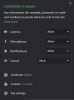
I'll attach a screenshot on the site settings and the Windows notification.
Kind regards
edit:
Upon further testing it seems to not matter wether the Notification setting within Chrome is set or not.
After turning the setting off and restarting the browser, open webclient, minimize and make a call, there is also no ringtone.
Chrome version: Version 83.0.4103.116 (Official Build) (64-bit)
3CX Version: 16.0.5.612 | Server OS: Windows Server 2019
This was happening before Update 5 aswell.
We've received several remarks from our users regarding strange behaviour with the webclient on incoming calls and more specific to not hearing the ringtone and thus missing quite a few calls.
The webclient audio/video settings are correctly set (default devices) and the browserextension is not being used, the browser used is Google Chrome.
Initially when you login to the webclient for the first time certain site settings aren't yet set, when this is the case and an incoming call takes place you hear the ringtone wether the browser is minimized or not, or when the webclient is not the active browser tab. But before the browserextension was in place there was the initial blue notification in the webclient (where the blue browserextension notification now is) to turn on notifications in general. This is (imo) a great feature because it gives an extra notification through Windows itself on an incoming call, from where you can also pickup the call without having to go to the webclient tab.
The strange behaviour however occurs when you first open the browser, open the webclient page, and either minimize the browser straight away or open a second tab. When an incoming call happens then, you get the Windows notification as expected but no ringtone. When you then make the webclient tab active you suddenly hear the ringtone and then it keeps working for further incoming calls untill you close the browser completely and reopen the webclient page.
Is this perhaps a known issue or a certain limitation with sending notifications to Windows like this? Or is this setting generally not used anymore since the browserextension came into play?
I'll attach a screenshot on the site settings and the Windows notification.
Kind regards
edit:
Upon further testing it seems to not matter wether the Notification setting within Chrome is set or not.
After turning the setting off and restarting the browser, open webclient, minimize and make a call, there is also no ringtone.
Chrome version: Version 83.0.4103.116 (Official Build) (64-bit)
3CX Version: 16.0.5.612 | Server OS: Windows Server 2019
This was happening before Update 5 aswell.
Attachments

Last edited:


