Switching License for FQDN

Status
Not open for further replies.

BABALUCHA

Silver Partner
Advanced Certified
Joined
Jan 9, 2021
Messages
217
Reaction score
42
Hello Everyone ,
First of thanks for helping out and checking this post.Quick question i have FQDN which is running with ENT 4 SC on 3cx hosted instance and now i have a spare bigger license that i want to use for this same FQDN . How would i do that ?
Is this correct way ?
1 Take the backup of the PBX instance
2 Release the FQDN
3 Fireup the new instance with new license
4 restore from the backup .
Am i correct ?
 
You would also need to exclude the license and FQDN from your backup

license cannot be swapped on a 3CX hosted instance.
 
Hi,

It's much easier than that if you already have a working machine and simply want to upgrade the license.


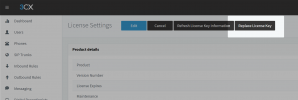
- You can replace your license without releasing your desired FQDN.
- Releasing the desired FQDN does not guarantee you can get it back.


Make sure that the spare license does not have an FQDN assigned to it, and then go ahead from here on your existing machine. The license will be replaced automatically, and the FQDN will move to the new license.
1651230153343.png
 
Hi,

It's much easier than that if you already have a working machine and simply want to upgrade the license.


- You can replace your license without releasing your desired FQDN.
- Releasing the desired FQDN does not guarantee you can get it back.


Make sure that the spare license does not have an FQDN assigned to it, and then go ahead from here on your existing machine. The license will be replaced automatically, and the FQDN will move to the new license.
View attachment 29872
Hello John
Thank you so much ,sorry about the late reply , work is so busy that it is not even funny . This is great that i can simply just use the license than that way i it is much easier , i m looking for the option where i find the license but can't seem to find it.Plz help :)
 
On your 3CX dashboard click the word License. It's not immediately obvious but they are links.
 
  • Like
Reactions: BABALUCHA
On your 3CX dashboard click the word License. It's not immediately obvious but they are links.
Hello StevelTS first of all thank u so much for your input, but i tried clicking on the word license on dashboard but no luck.
 
Just go to Settings >> License
 
  • Like
Reactions: BABALUCHA
Just go to Settings >> License
Hello JohnS thank you for your time and input :)
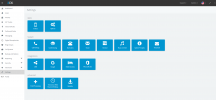
But for some reason i do not see License button anywhere.please see pic.
1652954001687.png
 
Sorry, I did not notice this in the beginning but you are on a "Hosted By 3CX" system, I'm afraid you cannot do this.

This is why clicking the "License" also was not working.

Talk to 3CX Customer Care and see what options you have in this case so that you don't lose your FQDN.
 
Status
Not open for further replies.

Forum statistics

Threads
111,974
Messages
590,083
Members
164,900
Latest member
Silent_Guru