System Owner Disable Presence

Status
Not open for further replies.

tony28

Forum User
Basic Certified
Joined
Mar 17, 2017
Messages
122
Reaction score
7
How to disable system owner from showing presence to group members?
 
Hello @tony28

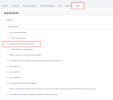
It should be done via Management Console -> Users, click on the user which is System Owner -> Rights and adjust accordingly.

Make sure show presence is unticked in order to hide their presence in the group.

1677148204132.png

Regards,
Monika
 
Its grayed out ....
 
@RJansen

Yes, it is greyed out for me because I am accessing the console with an extension which is not a system owner.

The System Owner will see the options correctly and will be able to tick and untick as needed.

Regards,
Monika
 
First, I apologise for my confusion.

Let me explain it in more detail:

Group Owner, Group Admin, System Owner & System Admin rights are pre-defined and cannot be changed.

When you log in to the console as a System Owner, you can adjust the rights for the Receptionist, User and Manager extensions.

Regards,
Monika
 
Last edited:
Status
Not open for further replies.

Forum statistics

Threads
111,974
Messages
590,081
Members
164,899
Latest member
mazet