TAPI has stopped working since Version 16.3.0.111 update

Status
Not open for further replies.

GrantJ

Customer
Joined
Apr 2, 2020
Messages
6
Reaction score
2
Hi
Anyone else getting an error connecting to the TAPI driver since last nights update (16.3.0.111) ?

Uninstalling and reinstalling an older version of the "3CX Phone App For Windows" solves the problem, but obviously we need a proper fix going forward.

Thanks

Grant
 
What do you mean when you say that it stopped working? Do you see any error in the "%AppData%\3CXPhone for Windows\Logs\3CXPhoneForWindows.log" file?
 
Hello,

We also have the same problem after updating to the latest 3cx version.
When we start our CRM we get this error: "Fail to connect to the multiline tapi"
Then if we restart the application we get no errors but the multiline tapi has no connection with the CRM.

These are our logs where TAPI is mentioned:

Code:
[27.04.2020 10:04:23.573][5] Opening named pipe for IPC
[27.04.2020 10:04:23.651][1] Pro only added CallTriggerCmdPlugin, Version=16.3.0.0, Culture=neutral, PublicKeyToken=null
[27.04.2020 10:04:23.651][1] Pro only added CallTriggerCmdPlugin, Version=16.3.0.0, Culture=neutral, PublicKeyToken=null
[27.04.2020 10:04:23.651][1] Pro only added CallTriggerCmdPlugin, Version=16.3.0.0, Culture=neutral, PublicKeyToken=null
[27.04.2020 10:04:23.651][1] Pro only added CallTriggerCmdPlugin, Version=16.3.0.0, Culture=neutral, PublicKeyToken=null
[27.04.2020 10:04:23.667][1] Pro only added DotNetScriptPlugin, Version=16.3.0.0, Culture=neutral, PublicKeyToken=11111111111111111
[27.04.2020 10:04:23.667][1] Pro only added DotNetScriptPlugin, Version=16.3.0.0, Culture=neutral, PublicKeyToken=11111111111111111
[27.04.2020 10:04:23.682][1] Targets override Pro 3CXPhoneTapiPlugin, Version=16.3.0.0, Culture=neutral, PublicKeyToken=11111111111111111
[27.04.2020 10:04:23.682][1] Pro added 3CXPhoneTapiPlugin, Version=16.3.0.0, Culture=neutral, PublicKeyToken=11111111111111111
[27.04.2020 10:04:23.682][1] Targets override Pro 3CXPhoneTapiPlugin, Version=16.3.0.0, Culture=neutral, PublicKeyToken=11111111111111111
[27.04.2020 10:04:23.682][1] Pro added 3CXPhoneTapiPlugin, Version=16.3.0.0, Culture=neutral, PublicKeyToken=11111111111111111
[27.04.2020 10:04:23.745][1] Initializing main window
[27.04.2020 10:04:24.053][1] Client version 16.3.0.111
 
Hello,

we have a problem with the TAPI functionality since the last update as well.

We are using our own CRM software in which you can manage calls via TAPI and the line / name of the users are still selected but incoming calls aren't displayed and outgoing calls through the TAPi dont work.

Is there any fix for this?
 
Same issue here.

Version 16.0.x worked. Version 16.3.x is broken.

I assume the 3CX plugin needs to be updated. Hopefully fixed soon.

If anyone has a update link, please post it here.
Thanks
 
What license key do you have in your 3CX server? PRO or STD?

Have you tried reinstalling 3CXPlugins?
 
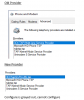
3CX server is version 16.0.611 Professional. Just removed and installed a fresh version of 3CXPlugin, rebooted workstaton and cannot configure the TAPI

3CX Provider.png
 
3CX server is version 16.0.611 Professional. Just removed and installed a fresh version of 3CXPlugin, rebooted workstaton and cannot configure the TAPI

View attachment 15823

Good News, the 3CX software and related folders had to be expunged and a complete from scratch install fixed the issue. Now to do the remaining workstations.
 
Can this be fixed without re-installing the multiline TAPI?
This is not possible for us because we have many people using it.
Also, can the MultiLine Tapi be installed silently on a massive scale? e.g. Lansweeper.
Are there any parameters that let us do this?
 
Also, can the MultiLine Tapi be installed silently on a massive scale? e.g. Lansweeper.
Are there any parameters that let us do this?
To install it from command line you can use:
3CXPlugins.exe /q PLUGINSELECTED=TAPI
 
To install it from command line you can use:
3CXPlugins.exe /q PLUGINSELECTED=TAPI
Hello,
This option does not create the 3CXMultiLineTapi folder under C:\ProgramData.
Should we create this manually or is there another parameter for installing the tapi?
 
Same issue here.

My customer has a Pro license and 12 pc's (mix Windows 7 Pro and Windows 10 Pro).
They had the old V15 single line TAPI plugin installed. This worked flawless until client update to 16.3.0.111 (which was automatically installed after updating 3CX to 16.05.611).
This broke things.

Thought it was an issue with the plugin.
Removed the old one and tried to install the multi-line TAPI.
This fails. Installer hangs on the setup welcome screen and "Searching for related applications". Both buttons are greyed out. Whatever you try, it doesn't install anymore. Disabled anti-virus, tried compatibility mode, run as administrator, all the normal troubleshooting. Chkdsk and sfc /scannow both run without errors.

I still had a backup of the previous 3CX client installer v16.01.0.81.
Removed all the 3CX software on the PC, deleted the "C:\ProgramData\3CXPhone for Windows" folder, reinstalled the old 16.01.0.81 client without starting it, reinstalled the old V15 single line TAPI plugin, let the update run of the 3CX client to the latest version when it started and everything works again.

It has to be an issue with the upgrade to the 16.3.0.111 client when you have the TAPI plugin installed.
For one reason or another, it breaks the TAPI connection.

I could repeat this on my own test setup, both Windows 7 and Windows 10. Both also had the old configuration in place and stopped working after the update.

Please get this sorted out and solved, since running this manual procedure on many clients is NOT an option. Everything is possible of course, but somebody has to spent the time to do the work and the customer has to pay to get a problem solved created by 3CX through an update.

Thanks,

Jos
 
Last edited:
This option does not create the 3CXMultiLineTapi folder under C:\ProgramData.
Should we create this manually or is there another parameter for installing the tapi?
Only that? Have you checked if the TAPI COM object is registered? You can manually create the folder, and add the file with all the extensions you need to handle in that computer as described here. But you need to ensure that the TAPI component is installed. Check this from the Control Panel > Phone & Modem > Advanced.
 
Only that? Have you checked if the TAPI COM object is registered? You can manually create the folder, and add the file with all the extensions you need to handle in that computer as described here. But you need to ensure that the TAPI component is installed. Check this from the Control Panel > Phone & Modem > Advanced.
I can confirm that it is not working. Under Phone & Modem > Advanced there is no 3cx TAPI component.
Is there also an MSI package for the 3cx TAPI? Could that help?
 
Hello, I can confirm that this is an issue.

Last week, CRM startet with a strange error message.
Called CRM manufacturer, he said "sounds like the TAPI error message, please disable TAPI in CRM".
I totally forgot that I've done an update (not to the newest one) on my 3CX Friday 24th April so I disabled TAPI in the CRM and CRM startet well.

Didn't had time until today another client called "CRM Manufacturer said that there is a Problem with your phone system and their TAPI, I updated the PBX this today, can you help?"

My unsatisfied answer was "not at the moment".

I removed "3CX Plugins", rebooted, closed "3CXPhone for Windows", installed "3CX Plugins" again, no fix. Now I cannot select the TAPI in the CRM anymore, means there is definitively a problem since the last update of the 3CX PBX.

Thank you for researching.

According to Programs and Features
3CX Plugins, Version 15.0.943.724 (still the same)
3CXPhone for Windows, Version 16.0.1.81 (but the EXE has 16.3.0.111)

3CX PBX Version according Web-Interface: Enterprise Annual 16.0.5.612.

Regards,

Josip
 
Last edited:
Try checking if the 3CX Windows client has the TAPI plugin configured. You can open the following configuration file using a text editor:
C:\ProgramData\3CXPhone for Windows\PhoneApp\3CXWin8Phone.user.config

And check the value of the CRMPlugin key, it should include 3CXPhoneTapiPlugin, as follows:
<add key="CRMPlugin" value="CallTriggerCmdPlugin,DotNetScriptPlugin,3CXPhoneTapiPlugin" />

The order of the plugins is not important, just ensure that you have 3CXPhoneTapiPlugin in the list. If not, add it, save the file and restart 3CXPhone.
 
  • Like
Reactions: LAAC
Hello Ernesto,

Yes, it is in this file, still doesn't work:

<?xml version="1.0" encoding="utf-8"?>
<appSettings>
<add key="version" value="3.0.0" />
<add key="ClientSettingsProvider.ServiceUri" value="" />
<add key="CRMPlugin" value="CallTriggerCmdPlugin,DotNetScriptPlugin,3CXPhoneTapiPlugin" />
<add key="MakeCallTimeout" value="10000" />
<add key="MakeCallTimeoutCTIUnsupported" value="200000" />
<add key="EnableVCELogging" value="true" />
<add key="MaxLogFileSizeMb" value="5" />
<add key="RequestTimeout" value="60" />
<add key="MaxUploadSizeKb" value="2048" />
</appSettings>
 
We have the same problem. We had to uninstall and reinstall the plugin, to make it work.
 
Uninstall / Reinstall did not work for us, but this:

- uninstall 3CX Plugins
- uninstall 3CX Phone for Windows
- delete "C:\ProgramData\3CXMultiLineTapi"
- delete "C:\ProgramData\3CXPhone for Windows"

- install 3CX Phone V16 (downloaded from https://downloads-global.3cx.com/downloads/3CXPhoneforWindows16.msi)
- install 3CX Plugins (downloaded from https://downloads.3cx.com/downloads/3CXPlugins15.exe)
- provisioned
- works now

For me, the issue is done, but now we have to take this procedure on every client with TAPI wich is a little bit dissapointing.

Regards from rainy Switzerland -Josip.
 
Same problem here...
TAPI don't work with 16.3.0.111 anymore, whereby it still works with 16.0.1.81.
As I think, there are very much problems with the new version (postings here and in the German forum), I expect an update (I don't want to do manual hacks on any device).
When is a new version available and where/how can it be installed?
Thanks for a reply soon .
 
Status
Not open for further replies.

Members Online Now

Forum statistics

Threads
111,832
Messages
589,278
Members
164,662
Latest member
DejanMDS