- Joined
- Nov 27, 2022
- Messages
- 35
- Reaction score
- 13
Is it still the case that the Web Client requires the Click2Call extension for TEL: link handling?
I've done the following to make this work for me without the extension. One just has to paste this into the browser dev tools console. (The console needs to be opened from a tab with the webclient open.) That registers a TEL: protocol handler that points at the correct Web Client URL
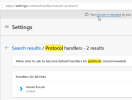
We can see details on browser protocol handling at:
Our CRM-like system produces <a href="tel:12345678"> links for phone number, with the Desktop Client that worked great. I'm uncomfortable installing web browser extensions that require full read/write access to all web pages the browser opens.
I've done the following to make this work for me without the extension. One just has to paste this into the browser dev tools console. (The console needs to be opened from a tab with the webclient open.) That registers a TEL: protocol handler that points at the correct Web Client URL
window.navigator.registerProtocolHandler("tel", "https://luma.3cx.uk/webclient/#/call?phone=%s","phone");We can see details on browser protocol handling at:
Our CRM-like system produces <a href="tel:12345678"> links for phone number, with the Desktop Client that worked great. I'm uncomfortable installing web browser extensions that require full read/write access to all web pages the browser opens.
Last edited: