The 3CX Web Client

KaterinaK_3CX

Joined
Feb 24, 2016
Messages
246
Reaction score
36
The 3CX Web Client is easy to use and combines all the features you need to efficiently communicate, collaborate and connect with colleagues, partners and customers, straight from your browser or from the native Windows and macOS desktop app.

This guide contains all you need to know to get you started, such as:
  • Logging on to the Web Client, installing the PWA or downloading the Desktop App.
  • Starting a call including in call functions
  • Managing your status and queues
  • Chatting with colleagues and customers
  • Starting a video conference
Read the guide.
 
Is there document that refers to V18 in regards to setting Wake Up Calls? The only doc I found refers to V16 and mentions "Switchboard" which I believe is now called "Panel" and the GUI looks different on V18.
 
Is there document that refers to V18 in regards to setting Wake Up Calls? The only doc I found refers to V16 and mentions "Switchboard" which I believe is now called "Panel" and the GUI looks different on V18.
You need 2 things:
1. Create a "Wakeup" type IVR, no need for prompts or actions.
2. Assign the "Can perform receptionist operations" to the desired users.

The person can then right-click on the user card in the Team section and click "Set Reminder" or "Clear Reminder". Those can then be seen in Panel > Reminders.

Docs: https://www.3cx.com/docs/installing-hotel-pbx/
 
  • Like
Reactions: jed and mmarks9156
You need 2 things:
1. Create a "Wakeup" type IVR, no need for prompts or actions.
2. Assign the "Can perform receptionist operations" to the desired users.

The person can then right-click on the user card in the Team section and click "Set Reminder" or "Clear Reminder". Those can then be seen in Panel > Reminders.

Docs: https://www.3cx.com/docs/installing-hotel-pbx/
Thank you. I'm familiar with the steps but was wondering if there is a user facing guide we can provide to our customer's?
 
Thank you. I'm familiar with the steps but was wondering if there is a user facing guide we can provide to our customer's?
Nope, none that I know of. It would be easy to make one tho since this is a fairly straightforward feature.
 
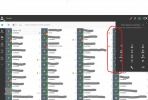
How to hide that dialer? I lost the whole hour trying to figure out your system and your website. Not much support provided.
The....Dialer is covering Extensions (7 of them), that I need to see!
 

Attachments

  • Web browser.png
    Web browser.png
    96.2 KB · Views: 40
Since you are on Windows, you'd be best using the DesktopApp. (Blue and white windows logo on the left.)
How to hide that dialer? I lost the whole hour trying to figure out your system and your website. Not much support provided.
The....Dialer is covering Extensions (7 of them), that I need to see!
 
How to hide that dialer? I lost the whole hour trying to figure out your system and your website. Not much support provided.
The....Dialer is covering Extensions (7 of them), that I need to see!
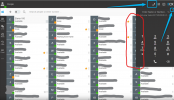
To retract the dialer, you can either press the small 'x' in the corner of the dialer, OR press the telephone icon at the top:
1641812278622.png

To make the dialer re-appear, just press the telephone icon again.

This is pretty standard semantics in applications nowadays.

Alternatively though, you can ask the admin of your 3CX system to install the Desktop App for you as @ConceptsWeb suggested.
 
Since you are on Windows, you'd be best using the DesktopApp. (Blue and white windows logo on the left.)
Thank you for the reply.
But what's the point of downloading app, if I can open it in the Browser?
Plus if I use the App it keeps Popping up the dialer on top of everything and its hard to work, I always had to move it around. (so I uninstalled that app) Minimizing was helping only for 3 minutes :(
 
Thank you for the reply.
But what's the point of downloading app, if I can open it in the Browser?
Plus if I use the App it keeps Popping up the dialer on top of everything and its hard to work, I always had to move it around. (so I uninstalled that app) Minimizing was helping only for 3 minutes :(
A lot of people prefer the App, hence why we have it, but different things work for different people, so no problem!
 
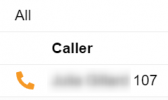
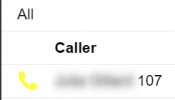
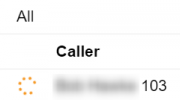
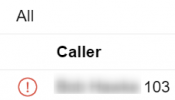
Is there a doc that covers the v18 panel? Specially looking for an icon legend on calls show in the panel. Blue phone, red phone, yellow phone, etc
1653512069872.png1653512062488.png1653512078103.png1653512093616.png
 
Hello @SweetAction

Here is a run down on the icons and their meanings.

Ringing
1653566984005.png

On an active call
1653567112143.png

Connected to a queue/Polling agent
1653567273702.png

Waiting in Queue
1653567393709.png

Queue SLA Breached
1653567528866.png

External Call
1653567657243.png
 
I can't seem to find anything in this guide about how to set a custom voicemail message. All the documentation and videos show a menu that I don't have under "Settings".
 
Hello bhills,

You can set up your custom voicemail in "Settings > Greetings".
 
  • Like
Reactions: bhills
Hi,

I was using the win app but had to stop because the call audio was dropping way too often. Now I'm using the pwa web client. The main issue I'm finding with this is responsiveness. Especially when logging on or picking up a call. Sometimes there are seconds of lag. Also, the ringtone volume which has been discussed but I guess there is no answer for, which I find extremely odd, But in any case, any suggestions on the lag I'm experiencing?
 
Hello! Would it be possible to have the V18 3CX Desktop App added to the winget repository, as the V16 App (3CX.Softphone) and the V18 Call Flow Designer (3CX.CallFlowDesigner) are? This method of installation is super easy—assuming it doesn't cause massive headaches on the 3CX side.
 
We will check.... How does it make life easier may i ask? Could you give more info? We will check what it entails
 
We will check.... How does it make life easier may i ask? Could you give more info? We will check what it entails
When I'm setting up a new computer for a colleague, I like to install as many software packages in advance as I know will be needed. If I can just open PowerShell and enter 'winget install 3cx.desktopapp' or similar – among other packages I will install that way or through importing a winget manifest – then it makes the process that much faster. (It also encourages the use of the app.) Having written that, I acknowledge that, from several points of view, it makes for a consistent experience to have the user always obtain (and provision) the desktop app by logging into the webclient. That's fair.