The 3CX Web Client

KaterinaK_3CX

Joined
Feb 24, 2016
Messages
246
Reaction score
36
The 3CX Web Client is easy to use and combines all the features you need to efficiently communicate, collaborate and connect with colleagues, partners and customers, straight from your browser or from the native Windows and macOS desktop app.

This guide contains all you need to know to get you started, such as:
  • Logging on to the Web Client, installing the PWA or downloading the Desktop App.
  • Starting a call including in call functions
  • Managing your status and queues
  • Chatting with colleagues and customers
  • Starting a video conference
Read the guide.
 
I've just got a really trivial question about URLs used by the webclient.
As far as I can tell the "default" URL [fqdn]:5001 leads to the login for the administrator console and to log into the webclient I need to use [fqdn]:5001/webclient/

Shouldn't the default/root be the webclient and the administrator login be moved to /webadmin/ or something...
 
  • Like
Reactions: Gavino
Hi everyone, sorry for disturbing this post I can't create a post
however, please assistance my inquiry " How to force exit client ( Control another extension) on 3cx client ( not force log out ) ".
Thank in advance.
 
Hi everyone, sorry for disturbing this post I can't create a post
however, please assistance my inquiry " How to force exit client ( Control another extension) on 3cx client ( not force log out ) ".
Thank in advance.
If you are referring to the 3CX desktop app and provisioning it to another extension...
Simply login to the webclient as the second extension and click the provision icon. It will overwrite the current 3CX desktop app provision. Other then an uninstall and reinstall (or deleting the correct files from appdata) there is no way to unprovision the 3CX desktop app.
 
To get this thread back on track: I'm suggesting that the shortest "root" URL should be the user log in, and the admin log in should be in a subdirectory. Currently it seems to be the other way round.
 
  • Like
Reactions: Gavino
To get this thread back on track: I'm suggesting that the shortest "root" URL should be the user log in, and the admin log in should be in a subdirectory. Currently it seems to be the other way round.
you can always use an external DNS (during setup you are asked if using own DNS or 3CX DNS)

You can point PBX.domain.com.au to domain.3cx.com.au and then use a URL redirect rule to force it to the webclient URL.
I personally would rather a button to be able to log into the admin portal, but considering that the MC admin can be accesed from the webclient admin section I imagine that direct login to the MC portal will soon not be possible.
 
Voicemail settings are not present in web client? how or where do we adjust voicemail notifications in the free or pro version?
 
Voicemail settings are not present in web client? how or where do we adjust voicemail notifications in the free or pro version?
For 3CX Free or SMB, Voicemail settings are not configurable. You'll need a dedicated version.
 
For 3CX Free or SMB, Voicemail settings are not configurable. You'll need a dedicated version.
So why do we have voicemail options in the greetings and routing if we can't use it, wouldn't it make more sense to remove it completely?
 
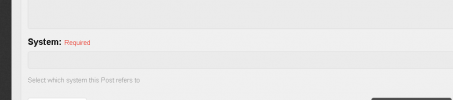
when trying to leave a forum post seemingly in the appropriate section it won't let me post and says "invalid system" or you must have one to post. What do i type in this required field?
 

Attachments

  • Screenshot 2023-08-12 110417.png
    Screenshot 2023-08-12 110417.png
    9.5 KB · Views: 6
when trying to leave a forum post seemingly in the appropriate section it won't let me post
The goal is to pick your 3CX server so 3CX staff can see its details. In practice all of our clients' servers are miscategorized/incorrect. Just post where allowed, and note the correct hosting details in the post.
 
Can you give me an example of what that looks like?
 
Becuase i've typed everything i could think of in there and it rejects as "invalid system"
 
System is supposed to be a drop-down with your license key(s).
 
I did copy and paste the license key in there, but it still doesn't accept it. It's a text input on my end. Edge latest version.
 
So why do we have voicemail options in the greetings and routing if we can't use it, wouldn't it make more sense to remove it completely?
You have voicemail and can adjust certain things, but you cannot change the notification options for it in Free/SMB

I did copy and paste the license key in there, but it still doesn't accept it. It's a text input on my end. Edge latest version.
It's supposed to be a dropdown where you select the key assigned to your system.
 
You have voicemail and can adjust certain things, but you cannot change the notification options for it in Free/SMB


It's supposed to be a dropdown where you select the key assigned to your system.
Thanks for the information. i guess there is not much i can do then. At least i know its not working as expected now.
 
Also, i don't get voicemail on any of the systems I created, at first i couldn't figure out why. i made a new account, that account has the same issue, so i made another, that one too, then i thought it was because i didn't set them up and then couldn't find any settings.
 
If I go to the section i think i should post in and click the post thread button i go to the post thread page but it says, "You need a Hosted system to post in this section."