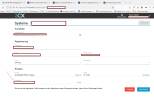
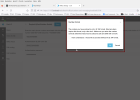
The license key you entered is incorrect

Status
Not open for further replies.

yavuzyaylak

Free User
Joined
Oct 17, 2022
Messages
32
Reaction score
2
Hello,

Couldn't find my way through all the information and got stuck at the license stage
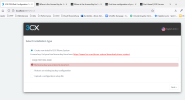
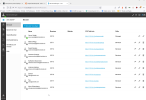
1666013760463.png

I'm typing in the CODE from here

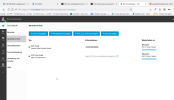
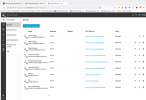
1666013916552.png

Checked my e-mail but haven't received a license key.
 
Did you try an on premise install or cloud ? is it a free key or a paid one?
 
Hello,

Couldn't find my way through all the information and got stuck at the license stage

View attachment 32402

I'm typing in the CODE from here

View attachment 32404

Checked my e-mail but haven't received a license key.
Regarding your question, You are trying to use a subscription for a startup version to install to an on-premise system, but this will not work. The subscription you are referring to is only for a start-up version. If you are having trouble with license keys, then it is best to email [email protected], or chat with them from the chat feature on our website.
 
Thanks for the tip, initially I'm Trying to set up extensions but am very confused.

Where is the Startup Pro tutorial to find where I set up things for my Cloud setting?
 
Have you now deployed a startup version or on prem? If start up you will first need to add a VoIP provider through the office settings then you can route calls to your extensions or other destinations. There’s no outbound rules to configure, this is done automatically.
 
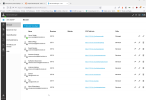
1666023454362.png

Well I set up a Sip-Trunkover the interface but how and where I'm going to add all the alternative numbers? I mean I bought a block from Easybell and want to give my team individual phone numbers. Where and how is a bit fuzzy...
 
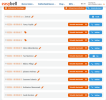
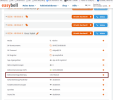
So I did add the phone numbers via Easybell

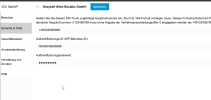
1666043658951.png

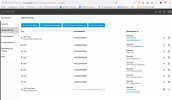
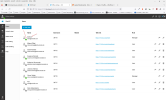
and added them at 3cx like this:

1666043747404.png

Is this right? Why is only one number appearing as green?

1666043888853.png
 

Attachments

  • 1666043827075.png
    1666043827075.png
    237.7 KB · Views: 7
  • 1666043850009.png
    1666043850009.png
    229.1 KB · Views: 3
Why is only one number appearing as green?
Extensions/Users have a color if they are connected. (desk phone, app, etc.). Green = available.
 
Oh, that makes sense @SteveITS :)

Is this a good configuration, or do you have any suggestions?
 
Hello Guys,
I tested this but user can call but not receive phone calls. They are getting "the user is currently busy" warning.
 
Regarding your question, Have you checked that you have routed all the DIDs to the correct destinations? As well as the main trunk number?
 
Well, this is the main Trunk:

1666350625395.png

Checked and it's the main Number here:

1666350679703.png

The DID is also correct I think:

1666350744659.png

The User can call out, but can't receive (line busy)

@Charles_3CX
 
Hi @yavuzyaylak,

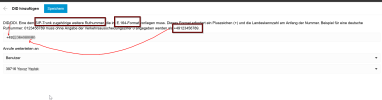
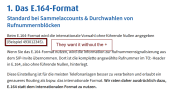
in PBX the number must be in E164 Format.

Check with the VoIP provider how they require the DID to be formatted for incoming calls to work.
 
Last edited:
1666477991423.png

1666478117698.png

1666478253472.png

@AvraamM_3CX

Also when I call from my extension number it calls from the main trunk, not my assined "nebennummer"

This shouldn't be this hard to set up but there is little to nothing in regards to troubleshooting which is really annoying.
 
So, upon more testing I was able to successfully call and receive calls via Zoiper.

I'm not sure why this don't work. I'm doing everything right :/

@AvraamM_3CX @Charles_3CX
 
Hi @yavuzyaylak

You are correct. You should add the numbers for Easybell in the E164 format without the +.

However this should not affect the calls being delivered to 3CX. Worst case scenario all calls should route to the main trunk number destination.
So the first thing to do is to check the main trunk number destination. You can check this under the "Call routing" tab in your Webclient. Check your out of office hours destination as well. If you have not added office hours then your system is considered in out of office hours so make sure that your destinations are all registered and available.
 
Hi @YiannisH_3CX and thanks for the answer:

When I don't use the + before I get a warning that that is no E164 format. Should I go ahead anyways?

1666603558752.png

Setting up Office Hours was one of the first things that I did:

1666603698912.png

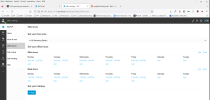
This is the general call-routing setting is it not? Is there individual call-routing defined or am I missing something?

1666603799397.png
 
When I don't use the + before I get a warning that that is no E164 format. Should I go ahead anyways?
Yes you should.

This is the general call-routing setting is it not? Is there individual call-routing defined or am I missing something?
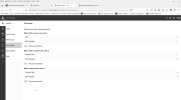
Yes it is. That is the configuration for the main trunk number so make sure that that user defined there is available. Configuration for DIDs is done through the DIDs edit button. You can select individual routing from there.
 
1666605302983.png
1666605303056.png

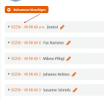
So the main trunk is active (Zentral)

1666605381240.png

1666605419586.png

Well, per your instructions @YiannisH_3CX this should be all there is to it, shouldn't it?

Stil, When I call from my subnumber, the main trunk number appears on the screen. I'm getting "The person you have called is temporarily not avaliable" error. When I call the the subnumber from another celluar.

I'm seriously lost about this
 
Status
Not open for further replies.

Forum statistics

Threads
111,974
Messages
590,083
Members
164,899
Latest member
mazet