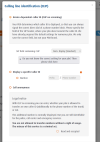
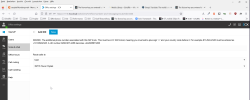
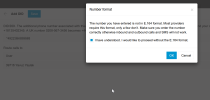
The license key you entered is incorrect

Status
Not open for further replies.

yavuzyaylak

Free User
Joined
Oct 17, 2022
Messages
32
Reaction score
2
Hello,

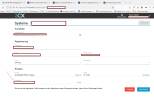
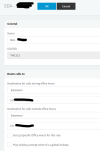
Couldn't find my way through all the information and got stuck at the license stage
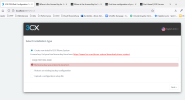
1666013760463.png

I'm typing in the CODE from here

1666013916552.png

Checked my e-mail but haven't received a license key.
 
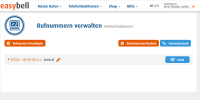
I looked at your screenshots above and I believe I know what your issue is.
You can created virtual DIDs under the same trunk from the main number but by doing so you broke the routing.
When you create a virtual DID you will see that each of these DIDs has a username and password. You do not want that.
You want for all DIDs to route to one registration.

So I would recommend deleting the virtual DIDs from the Easybell portal and just add them in 3CX.
So lets assume that your main trunk number is 491234567890. From that number without doing anything else on Easybells side you can add 4912345678901 and 4912345678902 as your extended DIDs in 3CX. Calling them should work that way and they should route correctly.
If you add those numbers as virtual DIDs on Easybells side then you need to register them somehow which is not what you want.
 
1666615882305.png

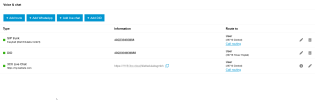
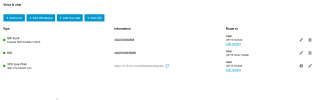
I appreciate you helping me out on this but that also hasn't worked. Deleted all the Virtual DID's on EasyBell as above.

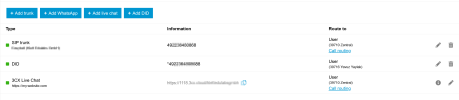
Re-added the trunk as well as the DID

1666616016069.png

What happens now is;
1) When I call over the DID out, the main trunk appear on the screen
2) When I call the DID, I'm getting a message saying "Please record your message or call the main provider" (something like this)

@YiannisH_3CX
 

Attachments

  • 1666615999590.png
    1666615999590.png
    72.6 KB · Views: 3
Your PBX global hours are set 9AM to 1PM ? am i right ? if so, why did you add a break from 1PM to 2PM ?
When a break is set, status change to "Away" so where are your calls forwarded while this time.
Normally break need to be included in global office hours, so yours should be 9am to 2PM and break from 1pm to 2pm and after 2PM this is DND status so no calls can go in except if your trunk send incoming calls to same forwarding all the time.
What do you expect to do after 2PM ? because like it is now your PBX is in DND status after 2PM
 
Last edited:
Stil, When I call from my subnumber, the main trunk number appears on the screen
check in each extension if you set caller ID field with each DID number, and check also in main trunk settings if the main number is not set in caller id otherwise this is always main number which is sent .
 
Does calling the main trunk number work? Does that go to the correct destination?
 
When I call the DID, I'm getting a message saying "Please record your message or call the main provider" (something like this)
most of the time this is the number format in which you receive the incoming call that doesn't match with your DID rule, so to avoid problems try to replace what you set by something starting with a * and just follow with lasting 6 numbers of your DID.
If the DID rule doesn't match in fact main number do a catch all rule so it's always same extension receiving calls instead of each called DID.
try to do this on one DID rule and try an incoming call, now it should go to DID forwarding.
 
On easybell , do you have to link DIDs to your main trunk number? ask their support what you have to do exactly on their side.
 
Your PBX global hours are set 9AM to 1PM ? am i right ? if so, why did you add a break from 1PM to 2PM ?
When a break is set, status change to "Away" so where are your calls forwarded while this time.
Normally break need to be included in global office hours, so yours should be 9am to 2PM and break from 1pm to 2pm and after 2PM this is DND status so no calls can go in except if your trunk send incoming calls to same forwarding all the time.
What do you expect to do after 2PM ? because like it is now your PBX is in DND status after 2PM

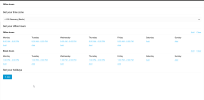
Thank you @aws2p I've modified the office hours:

1666619855502.png

check in each extension if you set caller ID field with each DID number, and check also in main trunk settings if the main number is not set in caller id otherwise this is always main number which is sent .

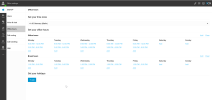
I've currently only one DID active. Do you mean, when you saiy main trunk settings, on easybell side or 3cx

1666620603730.png


Does calling the main trunk number work? Does that go to the correct destination?

Did called the main trunk from my celluar phone and it worked. I've also called via https://mynumber.3cx.cloud/ and the main trunk number appeared on the display.

most of the time this is the number format in which you receive the incoming call that doesn't match with your DID rule, so to avoid problems try to replace what you set by something starting with a * and just follow with lasting 6 numbers of your DID.
If the DID rule doesn't match in fact main number do a catch all rule so it's always same extension receiving calls instead of each called DID.
try to do this on one DID rule and try an incoming call, now it should go to DID forwarding.

Sorry @aws2p but I haven't understood that. What should I put in the DID section, could you give me an example?

On easybell , do you have to link DIDs to your main trunk number? ask their support what you have to do exactly on their side.

Contacted them on initial set up. They only had me change this option and said I was good to go:

1666620171366.png
 
Do you mean, when you saiy main trunk settings, on easybell side or 3cx
on 3CX but check also if easybell is not forcing all the time with main trunk number otherwise even if DIDs are well set on 3CX they will be replaced by value from easybell
 
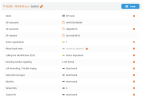
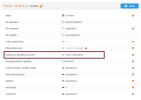
The only reference I'm seeing is this here:

1666623648003.png
 
Sorry @aws2p but I haven't understood that. What should I put in the DID section, could you give me an example? (SDA in French is DID in english)
1666623651380.png
in inbound rule you start with a * and input last 6 or 7 numbers of your DID in my example 491313 is the end of a DID. starting with * means all before is ignored and only what's after is observed to find the forwarding to apply and also to match with phonebook contact if already existing, in that case you get name of caller displayed in addition.
 
Thank you for the prompt reply @aws2p but the interface you are using are not the same as mine, I'm using the hosted version.

All I can set up is this:

1666624206500.png
 
Thank you @aws2p I've modified the office hours:
this is not good your office hour range should be 9AM to 6PM and let your break like it is , from 1to 2 PM
like this status will be available since 9AM to 1PM in between it turns to away during break, and from 2PM to 6PM it returns to available, out of this, this is DND status.
 
Sorry , startup isn't the same as mine of course. I have no startup instance to check with, really sorry for misguidance
 
perhaps you can try to set *1234567 in DID field where it ask you for E164 and see if pbx accept that input , if so then try a call to see if there's a behavior change. if input is not accepted then wait for better 3CX staff advices for startup.
 
1666625656136.png

First at all, I appreciate the help @aws2p. I hope the admins here can shed more light and solve this buggy problem that I'm experiencing:

Status update:

1) When the DID number calls someone it sees the main trunk number on the screen. My wife called the DID number and saw the SIP Trunk number (above)
2) Calling from a celluar phone number (or any other number) seem to work now.

I'm not sure still, this has been going on too long. I hope you guys can provide me with a solution so I can close this chapter.

@YiannisH_3CX , @Charles_3CX , @AvraamM_3CX
 

Attachments

  • 1666624696260.png
    1666624696260.png
    105.8 KB · Views: 2
did you succeded or failed to input a DID starting with * and followed only with last 6 or 7 numbers?
 
It still told me that the format wasn't right.

1666626789259.png
 
1) When the DID number calls someone it sees the main trunk number on the screen. My wife called the DID number and saw the SIP Trunk number (above)
is there a caller ID field in extension in startup you can fill with DID number?
 
Unfortunately not :confused:
 
Status
Not open for further replies.

Forum statistics

Threads
111,974
Messages
590,083
Members
164,899
Latest member
mazet