Solved Trunk from Yeastar Gateway via VPN not connecting

Status
Not open for further replies.

JCubio

Free User
Joined
Oct 7, 2019
Messages
134
Reaction score
13
Hi all,

I have an issue with the trunks being unable to register.

Here's our setup config
1. 3CX is hosted in the cloud (Azure)
2. Yeastar TG800 is connected to 3CX using IPsec VPN

This setup is working very well until today. The trunks from Yeastar got disconnected and I'm getting not reachable error in the 3CX logs

1627463165249.png
I already checked the IPsec and it is still connected and I can still access the 3CX dashboard using local IP and ping is also stable
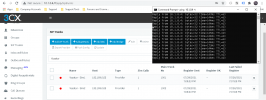
1627463290630.png
I also tried restarting the 3CX machine and restarting the VPN but nothing works.

The issue happen suddenly without changing any related configuration in Azure, 3CX, and the IPsec

Hoping for your kind advice.

Thank you very much
 
Since this is not a 3CX Supported Gateway we can't really suggest much nor guarantee that it will work ok, but, based on your description and the screenshots provided, it seems that you've configured the gateway as a Register based SIP Trunks. This means that it is the 3CX PBX that will register to the gateway which, based on your first screenshot, does not seem to be happening because the 3CX PBX cannot reach it. If I would suggest anything it would be to check that the 3CX PBX can reach the gateway(s) via local routing and not the other way around.
 
  • Like
Reactions: JCubio
Since this is not a 3CX Supported Gateway we can't really suggest much nor guarantee that it will work ok, but, based on your description and the screenshots provided, it seems that you've configured the gateway as a Register based SIP Trunks. This means that it is the 3CX PBX that will register to the gateway which, based on your first screenshot, does not seem to be happening because the 3CX PBX cannot reach it. If I would suggest anything it would be to check that the 3CX PBX can reach the gateway(s) via local routing and not the other way around.
Thanks for tip

I tried pinging the gateway from the 3CX terminal and there's no reply. But I can get a reply from the other IP in our LAN
 
  • Like
Reactions: ChrisC_3CX
I also tried restarting the 3CX machine and restarting the VPN but nothing works.
Did you try restarting the gateway?

Does the gateway have an internal log, that may show why it is not even responding to a ping from the 3CX terminal, as that would seem to be the issue? A bit more work, but, you could use Wireshark to see if the 3CX terminal IP is even reaching the gateway.
 
Hi all,

I managed to track down the issue. For some reason, the Yeastar had blacklisted the 3CX IP.

Thanks @ChrisC_3CX _3cx for pointing it out.
 
  • Like
Reactions: ChrisC_3CX
You're very welcome! Glad to see you managed to resolve the issue!
 
Status
Not open for further replies.

Latest Posts

Forum statistics

Threads
112,325
Messages
591,898
Members
165,478
Latest member
postmaster@studiolegaleda