Update 6 Release Candidate 2: Last Tweaks Before Final Launch

N_G

Founder
Joined
Jun 6, 2006
Messages
4,850
Reaction score
9,253
Following on from last week\'s Update 6 RC 1, we’ve listened to your feedback! Release Candidate 2 brings more improvements and minor fixes. We’re on schedule, with the final release just days away.

Here’s What We’ve Fixed:​

  • We’ve added a field to show the local IP address of a listed SBC device or Router Pho...
 
Last edited by a moderator:
Is U6 RC2 the same as 18.0 (Build 905) any chance you could use one designation , I like the build number as that is clear so U6 RC2-905 would be great
 
we are still seeing flowroute DIDs not show the correct route on the web client. we have 3 DIDs coming in from flowroute and they all show end call. but in the management console they are programmed correct and functioning with the proper ring groups. 3cx.jpg
 
I created a holiday for a specific group in the admin/webclient. However what happened that 3CX treated it as a global holiday for everyone. So even calls that are not designated for that group are going into holiday

01/25/2023 9:23:51 AM - [Flow] It is holiday today
 
we are still seeing flowroute DIDs not show the correct route on the web client. we have 3 DIDs coming in from flowroute and they all show end call. but in the management console they are programmed correct and functioning with the proper ring groups.

Did you switch your machine to MCM mode?
 
  • Like
Reactions: Evolute IT
Did you switch your machine to MCM mode?
no we did not. it has something to do with multiple DIDs on that trunk as the others only have 1.
 
separate question, do we know if yealink will support the T58 as a routerphone? we've got quite a few of those out there. wanted to test it.
 
we are still seeing flowroute DIDs not show the correct route on the web client. we have 3 DIDs coming in from flowroute and they all show end call. but in the management console they are programmed correct and functioning with the proper ring groups.

In the "Route to" field you are seeing what the SIP trunk settings have assigned, also known as the catch all rule.

But since your ring groups are functioning, you probably also have Inbound Rules that control where the calls go to.

This is normal if that is the case. And as you add even more DIDs to your trunk, those wont show up either, since they are also Inbound Rules.

The Call Handling page (web client) where you assign your DIDs to say a Ring Group, is what will end up matching with the Inbound rules in the Management Console
 
separate question, do we know if yealink will support the T58 as a routerphone? we've got quite a few of those out there. wanted to test it.
They did not decide to add that model.
 
Hello, we testing to add yealink dect base w70 on a yealink T54 acting as a routerphone, but not appear as a sbc choice in configuration of dect base, I miss something or ip phone router can't be use for manage dect base ?
 
  • Like
Reactions: Discovery87
Hello, we testing to add yealink dect base w70 on a yealink T54 acting as a routerphone, but not appear as a sbc choice in configuration of dect base, I miss something or ip phone router can't be use for manage dect base ?
Currently, this is not an option in update 6.
 
I created a holiday for a specific group in the admin/webclient. However what happened that 3CX treated it as a global holiday for everyone. So even calls that are not designated for that group are going into holiday

01/25/2023 9:23:51 AM - [Flow] It is holiday today
You may have inadvertently caused it by overriding the group rules in some way, but we would really need to look at the specifics to determine what happens. Feel free to PM me with details and we can take a look.
 
Hello, we testing to add yealink dect base w70 on a yealink T54 acting as a routerphone, but not appear as a sbc choice in configuration of dect base, I miss something or ip phone router can't be use for manage dect base ?
DECT configuration from our Webclient admin and using a router phone is coming in update 7 (or 8, but looking like 7) Until then you can just specify the SBC IP in the management consoel DECT base station config
 
Nick I logged a ticket today because there wasn't any way to specify the IP of an SBC in the DECT base station config within the management console. In the end I managed to get around it by just manually entering in the base station web interface. I then had to remove the provisioning server URL so it didn't pull down incorrect settings and break.

Looking forward to testing that update :)
 
You may have inadvertently caused it by overriding the group rules in some way, but we would really need to look at the specifics to determine what happens. Feel free to PM me with details and we can take a look.
I did reply to you in a DM. thanks
 
  • Like
Reactions: JohnS_3CX
DECT configuration from our Webclient admin and using a router phone is coming in update 7 (or 8, but looking like 7) Until then you can just specify the SBC IP in the management consoel DECT base station config
Dear Nick
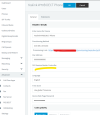
I have reviewed closely a Yealink w70b configuration and i can't find where the IP of the SBC can be manually specified... any idea ?
Thanks !
 
Dear Nick
I have reviewed closely a Yealink w70b configuration and i can't find where the IP of the SBC can be manually specified... any idea ?
Thanks !
1674746335440.png
 
You can't input the IP here, the only way i've found as advised by Nick is to configure the w70b as Stun, provision it, and input the routerphone SBC IP as the proxy address...
 
  • Like
Reactions: pmterp
You can't input the IP here, the only way i've found as advised by Nick is to configure the w70b as Stun, provision it, and input the routerphone SBC IP as the proxy address...
Are you on startup or what?
 

Members Online Now

No members online now.

Forum statistics

Threads
111,834
Messages
589,287
Members
164,663
Latest member
svdDGS