





Following on from last week's Update 6 RC 1, we’ve listened to your feedback! Release Candidate 2 brings more improvements and minor fixes. We’re on schedule, with the final release just days away.
Here’s What We’ve Fixed:
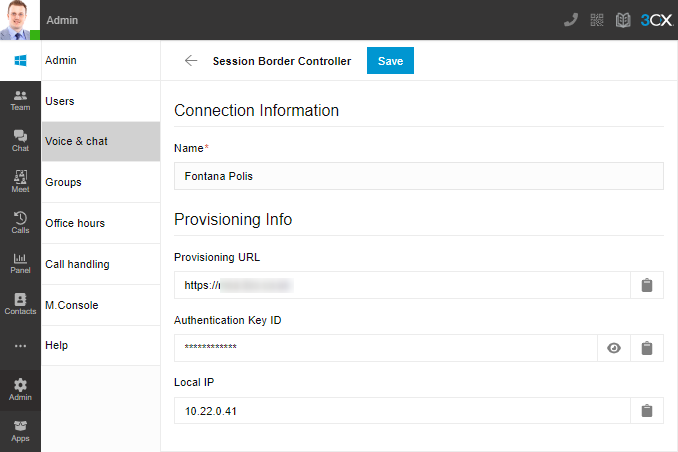
- We’ve added a field to show the local IP address of a listed SBC device or Router Phone in the ‘Voice & Chat’ and "Users > IP Phone" tabs.
- There’s better handling of dropped calls when using “Universal Headset Driver’’ (WebHID - 3rd party supported).
- System Owners’ friendly name for 3CX Talk links is now retained when restoring a backup.
- There’s no longer an error when a System Owner’s extension doesn't have a first / last name.
- And Linux instances can now process more than 500 calls through the IVR service.
View the complete changelog here.
How to Get Update 6 Release Candidate 2
Users can access the update as follows:
- Windows and Linux Debian 10 users
- Log into your Management Console
- Update to "Update 6 RC 2"
- StartUP users
- Updated automatically. Simply click ‘Yes’ to update.
- New / Current NFRs and Trials
- Updated automatically
- New users
Commercial instances running on 3CX Hosted will be updated (outside of configured office hours) when U6 Final is released.
Tell Us What You Think
We know you like our product. We value your opinion. Meet you in the Forum for your feedback!









 Copyright © 2026