This one:When you try to access the MC from a PC in the same LAN as where the 3CX Server is located, how are you trying to do so?
or
- https://<FQDN>:<HTTPS port>/
If you are trying the first, the reason you might not be able to get it is because the internet router/firewall is not allowing loopback traffic (very common btw). This would also justify when trying to access from the outside you can reach it fine.
- http://<Local LAN IP Address of Server>:<HTTP Port>
It's got to be something on the network as you can access the Management Console from other PCs. you say it "isn't working". What do you see, some error? Page times out? Also, from this PC, can you ping the Local IP of the 3CX Server?This one:
http://<Local LAN IP Address of Server>:<HTTP Port>
I have all IP withe listed in 3cx...
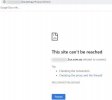
ERR_CONNECTION_REFUSED from my PC LocalIt's got to be something on the network as you can access the Management Console from other PCs. you say it "isn't working". What do you see, some error? Page times out? Also, from this PC, can you ping the Local IP of the 3CX Server?
Now I cant go from the other PCs as wellERR_CONNECTION_REFUSED from my PC Local
That might be a good idea. You could also consider finding a 3CX Partner if you need help.Now I cant go from the other PCs as wellNeed to see whats wrong... Maybe reinstall everything again
Founded in 2005, when VoIP was an emerging technology, 3CX has gone on to establish itself as a global leader in business communications.