Solved Unable to find updates for 3cx Installation

Status
Not open for further replies.

dnut

Free User
Joined
Dec 19, 2016
Messages
12
Reaction score
0
Hello,
I can't manage to find updates for a hosted installation of 3CX.

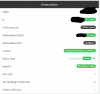
When I check click on the updates page it answers that the system is up to date
The version appears to be 15.5.2 and maintenace license seems to be active
Server has internet access

Any idea how to update to the last version?

3CX Version 15.5.20000.6
Self Hosted on Windows 10 Pro 1903

Thank you

 

Attachments

  • 3cx_3.PNG
    3cx_3.PNG
    24 KB · Views: 5
  • 3cx_2.PNG
    3cx_2.PNG
    14.3 KB · Views: 5
  • 3cx_1.PNG
    3cx_1.PNG
    18 KB · Views: 5
You need to following

1. Backup 3CX - copy the file to another location outside of 3CX folders
2. Uninstall 3CX. Reboot server
3. Reinstall 3CX using the latest .exe file and select restore from backup

More info here - https://www.3cx.com/docs/upgrading-pbx-v16/
 
  • Like
Reactions: JohnS_3CX
As said above by @Saqqara follow that link. In step 2 there are instructions to bring you up to the latest version on V15.5SP6 (you appear to have already reached that version).

Please note however that this has reached end of life, so you should consider moving to V16 as soon as possible and the rest of the guide should cover it.
 
Great!
I already did many 15 to 16 upgrades on Linux, I was under the impression that the windows version would work the same.
My fault, now I know Windows version can't be updated "inline".

https://www.3cx.com/docs/upgrading-pbx-v16/

Thank you guys
 
Ah yes, if Windows you will definitely need to backup/uninstall/reinstall+restore when jumping across major versions like 15 -> 16

The patches can be installed inline ofcourse from your management console.
 
Status
Not open for further replies.

Forum statistics

Threads
112,322
Messages
591,886
Members
165,470
Latest member
Robert Lee