Solved Unable to login to web interface using FQDN

Status
Not open for further replies.

sampegg

Silver Partner
Advanced Certified
Joined
Mar 30, 2023
Messages
8
Reaction score
2
Hi

We are unable to log into the web interface using the FQDN. Using the public IP works fine. I suspect with have an issue the 3CX provided SSL cert.

As this is a 4SC system we are unable to log a support ticket.

I'm totally stuck and unsure how to proceed from here.

Any advise appreciated.

Thanks
 
Is the firewallcheck green? Where is the pbx installed?
 
Is the firewallcheck green? Where is the pbx installed?
Yeah firewall check OK ran that this morning (should have put that on the original post!)
Self hosted in our DC
 
Hello sampegg,

when you say: unable to log into what do you exactly mean?
Does the webpage show, or just goes blanc ? error received?
Can you clean the cache of the browser? try another browser?

Basically using the FQDN or IP, does make make any difference, also the FQDN should go to the (same) correct IP.

Paulo
 
Hello sampegg,

when you say: unable to log into what do you exactly mean?
Does the webpage show, or just goes blanc ? error received?
Can you clean the cache of the browser? try another browser?

Basically using the FQDN or IP, does make make any difference, also the FQDN should go to the (same) correct IP.

Paulo
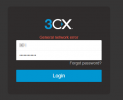
Just get general network error as in screen shot below

Browser not applicable, it does this on many devices even those that will have never accessed it before.

FQDN resolved to the correct address. We can log in if we use the public IP instead, but of course we get the red warning banner. As all users are using the web interface this is not ideal. As it works with the public IP and not the FQDN this us why I suspect this is a certificate issue.


1771855610835.png
 
Hello sampegg,

I do not know your setup, so I am trying to think 'out of the box'.

Could it be any problem with IPv6 ?
Meaning, when you go to the IP (that would be IPv4), the server does responde correctly, and when you go to the FQDN, it can be using the IPv6, and that could be not setup correctly in the firewall ????

So, does the server have any IPv6 setup, if yes, does the 3CX installation has this in the config, and does the Firewall have any rule for this?

Paulo
 
Hello sampegg,

I do not know your setup, so I am trying to think 'out of the box'.

Could it be any problem with IPv6 ?
Meaning, when you go to the IP (that would be IPv4), the server does responde correctly, and when you go to the FQDN, it can be using the IPv6, and that could be not setup correctly in the firewall ????

So, does the server have any IPv6 setup, if yes, does the 3CX installation has this in the config, and does the Firewall have any rule for this?

Paulo
Hi
No IPV6 here.
 
Status
Not open for further replies.

Forum statistics

Threads
112,285
Messages
591,703
Members
165,406
Latest member
ARKC