Solved Unable to provision Grandstream GXP2170

Status
Not open for further replies.

MH-Nottingham

Premier Customer
Joined
May 16, 2019
Messages
25
Reaction score
1
Hi

I am new to this and hoping to get some pointers. I have a batch 12 phones I am testing. I have only been able to get two working and now lost them too!

Running 3CX Licences Pro Annual. Version 16.0.1.269. with PBX Express on Azure and 3CX SBC on the local server - built just for SBC. Phones are Grandstream 2170 IP Phone running 1.0.9.132 version software. All relevant firewall opened/closed.

The phone setup to be used in a hotdesking environment. At first, I was able to provision the phones as per the guide, (https://www.3cx.com/sip-phones/grandstream-gxp21-series/), and now I am unable to do so. Being in a pilot state I deleted the phones in both the “Phone” and “Hotdesking” tabs and readded them, but have been unable to provision the phones. I have gone through the steps again and again and after assigning ext the phones fail to configure. The home screen on the phones is displaying the Granstream screen saver and it never reboots. I can ping the phones on the network without any packet loss.

Any pointers would be appreciated.
 
V16 SP1 should be 16.0.1.273 perhaps not all is up to date?
Do you use 3CX default template ?
Do you have 5001 port or https port you use , open on firewall?

Try once more to factory reset phones and use PNP from 3CX console to autoprovision phones.
For hotdesking provisioning needs to be done via PNP
https://www.3cx.com/docs/hot-desking/
 
Management console dashboard shows 16.0.1.273. All phones on 1.0.9.132. Ports are all open as per https://www.3cx.com/docs/ports/ and https://www.3cx.com/docs/sonicwall-firewall-configuration/

Deleted the phones in "Hotdesking" and factory reset. Using PNP. Followed https://www.3cx.com/docs/hot-desking/

The phones show up in the dashboard "Phones" tab after selecting "Assign Ext" they fail to reboot.

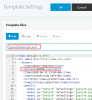
Not using the 3CX default template. Where can I obtain this for the GXP2170 models?

3CXSBC config file is shown as:

[Log]
Type=file # cout, cerr, file, syslog
Level=ERR # "ERR", "NONE", "EMERG", "ALERT", "CRIT", "ERR", "WARNING", "NOTICE", "INFO", "DEBUG", "STACK", "ERR", "VERBOSE"
File=C:\ProgramData\3CXSBC\Logs\3cxsbc.log
[General]
FailoverInterval=90
PrintStatsInterval=30
ReconnectInterval=30
[Bridge/123456]
Name=3CXSBC15.5.7503
SecurityMode=1
TunnelAddr=FQDN
Password="XXXXXX"
ID=XXXXXX
LocalSipAddr=X.X.X.X
LocalSipPort=5060
PbxSipIP=FQDN
PbxSipPort=5060
TunnelPort=5090
 
Last edited:
@Saqqara - thanks for the video. I did those steps initially, but now I am unable to provision the phones altogether. Thanks for the video anyhow. I have not changed the 3CX templates - not sure how too.

@JohnS_3CX - running SBS on server 2019 and have those ports open. I was able to provision the phones initially and had hotdesking working. I did not change anything other then go from 1.0.9.127 to 1.0.9.132 firmware on the phones. I must admit I only provisioned 3 phones prior to upgrading the firmware. I have reset the phones and even downgraded the firmware but still unable to provision them.

My management dashboard console shows 16.0.1.273. All phones on 1.0.9.132. - both are the latest updates. Not sure why I cannot provision the phones now. The relevant ports are open and working since I did have 3 phones working has hotdesk phones.
 
Everything sounds good so far, so just as a sanity check

  1. remove devices from extensions, and from phones tab if they are visible there also
  2. restart SBC service
  3. check again that ports 5001 and 5090 are open, just in case
  4. reset phones once more

If they re-appear under phones tab then you know that the SBC is up, and the phones ready to provision.
Pick a phone from the phones list and click Assign Ext., and when it takes you to the provisioning tab of the extension, ensure that SBC is the preselected provisioning method. go ahead and hit OK and give it a minute or two.

Let us know how it goes
 
I downgraded the firmware on 3 phones to test what happens and they provisioned fine. Tested, phones and hotdesking works fine. The firmware it works on is 1.0.9.127 - MC dashboard shows this firmware has "Not supported". despite the phones provisioning and working in a hotdesk environment!

??
 
Is there chance your templates are not up to date? I'm asking because if the template you are currently running does not comply with the latest supported firmware it could potentially cause provisioning issues.

If you created a custom template at any point I suggest to delete it, then remove the phone from the extension, and try provisioning again.

Latest 3CX FW 1.0.9.132
Latest 3CX Template 88608 (Can be found under Settings > Templates under the --Supported-- category)

10755

If you had custom templates, a --Custom-- category would appear at the bottom of the templates list
 
Hi All

Thanks, everyone for your help. I found the solution after a lot of scratching

On each phone, the server path was pointing to xyz.com - not our provider. Needed to contact the reseller and get them to remove the MAC address from GAPS (Grandstream's Auto Provisioning Server).

In the interim period, I configured option 66 on our firewall, essentially it is just a pointer for the phones to point to our provisioning link and not xyz.com. Our firewall is also our DHCP server.

You find out more info on option 66 here: https://www.3cx.com/sip-phones/dhcp-option-66/

Now I need to figure out how to do bridging from site A to site B

10824

Thanks.
 
Status
Not open for further replies.

Forum statistics

Threads
111,926
Messages
589,762
Members
164,799
Latest member
RicoDinero