- Joined
- Feb 18, 2019
- Messages
- 44
- Reaction score
- 3
Hi there,
We have a really strange issue at one of our customers. We are unable to provision some Yealink phones in their 3CX environment, this only seems to affect two Yealink T42G's that they are using. We host their server in our own cloud and everything worked fine for the last half year. Last week we upgraded v16 to v18 and it seems that this caused the issues below.
The customer called this morning that two of their phones stopped working. We've been onsite and replaced them both with other T42G's. They worked without any issues.
Randomly both phones dropped their registration and gave an “No service” error. Autoprovisioning stopped working. Even if you push the autoprovisioning through the webbrowser it doesn’t do anything after a factory reset. Keep in mind that other T42G's are just working fine. We've tried the following things;
- Resetting the phones to factory default
- Removed and reassigned the phones within 3CX
- Put the phones on static IP-addresses
- Tried multiple firmwares
- Unpacked a brand new Yealink T53 which seems to work fine
- Tested the phones in a different environment (our own office)
- Added the phones to our own 3CX enviroment (works just fine like it should)
- All IP's are in the allowlist and we do not see any errors in the logfiles
To be honest, we don't know what to do next. Is there anything we can check on the logs for instance to check for autoprovisioning issues? Or are both phones bricked/broken? That's weird, because they work in our own environment. We're seeing "RPS request for Yealink T42S IP Phone of <xxx> delivered successfully" messages in the logging, so that would indicate it should work. But it doesn't. It just doesn't.
We have a really strange issue at one of our customers. We are unable to provision some Yealink phones in their 3CX environment, this only seems to affect two Yealink T42G's that they are using. We host their server in our own cloud and everything worked fine for the last half year. Last week we upgraded v16 to v18 and it seems that this caused the issues below.
The customer called this morning that two of their phones stopped working. We've been onsite and replaced them both with other T42G's. They worked without any issues.
Randomly both phones dropped their registration and gave an “No service” error. Autoprovisioning stopped working. Even if you push the autoprovisioning through the webbrowser it doesn’t do anything after a factory reset. Keep in mind that other T42G's are just working fine. We've tried the following things;
- Resetting the phones to factory default
- Removed and reassigned the phones within 3CX
- Put the phones on static IP-addresses
- Tried multiple firmwares
- Unpacked a brand new Yealink T53 which seems to work fine
- Tested the phones in a different environment (our own office)
- Added the phones to our own 3CX enviroment (works just fine like it should)
- All IP's are in the allowlist and we do not see any errors in the logfiles
To be honest, we don't know what to do next. Is there anything we can check on the logs for instance to check for autoprovisioning issues? Or are both phones bricked/broken? That's weird, because they work in our own environment. We're seeing "RPS request for Yealink T42S IP Phone of <xxx> delivered successfully" messages in the logging, so that would indicate it should work. But it doesn't. It just doesn't.
- 3CX Version: 18.0 Update 1 (Build 237)
- Server OS: Debian 10
- Is the 3CX Server Hosted and where? Hosted in Vultr
- IP Phone Make/Model/Firmware version, Yealink T42G, firmware 29.83.0.130
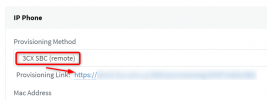
- Provisioning Method: Both STUN and SBC
- Trunk Provider or VoIP Gateway Make/Model, CM.com Trunking
- Has the Firewall Checker passed: YES
- Are custom Phone Templates being used: NO
Last edited: