- Joined
- Jul 26, 2012
- Messages
- 3
- Reaction score
- 0
I have a legacy client that is running version 16. I tried to contact them several times to upgrade to the latest version before their ssl expired.
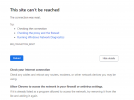
I didn't push the issue aggressively, thinking I could still locally work on the phone system when they ultimately call for service. Fast forward to now, since the ssl expired I can't get into the portal.
Ideally, at this point I would like just like to grab a current back up and then move them to the Debian install.
Anything I can do to get into the management portal or kick off a back up? I know its running the windows embedded nginix install from years ago. I am running into road blocks, hopefully there is a work around.
TIA
I didn't push the issue aggressively, thinking I could still locally work on the phone system when they ultimately call for service. Fast forward to now, since the ssl expired I can't get into the portal.
Ideally, at this point I would like just like to grab a current back up and then move them to the Debian install.
Anything I can do to get into the management portal or kick off a back up? I know its running the windows embedded nginix install from years ago. I am running into road blocks, hopefully there is a work around.
TIA