Unable to see Call Recordings

Status
Not open for further replies.

Giorgi Kambarashvili

Free User
Joined
Jan 11, 2019
Messages
26
Reaction score
0
hello all. i have a problem, please help any1 if you can.
problem is that i wanted for 1 extension to enable SHOW CALL RECORDINGS, i clicked Phone provisioning - 3CX CLIENT
and checkbox SHOW CALL RECORDINGS, yesterday when i did this and logged extension through web client it was showing everything and was ok, all call recordings were there, today i can not see any of them, i have disabled and re enabled but nothing happens, call recordings section is empty, when i am logging to admin panel there are all of call recordings, please help me with that issue
 
hello all. i have a problem, please help any1 if you can.
problem is that i wanted for 1 extension to enable SHOW CALL RECORDINGS, i clicked Phone provisioning - 3CX CLIENT
and checkbox SHOW CALL RECORDINGS, yesterday when i did this and logged extension through web client it was showing everything and was ok, all call recordings were there, today i can not see any of them, i have disabled and re enabled but nothing happens, call recordings section is empty, when i am logging to admin panel there are all of call recordings, please help me with that issue

First, what version and edition of 3CX are you using?

Second, make sure the path to recordings hasn't changed, then verify that files are there.
 
Version - 15.5.15502
Enterprise.

the path was not changed... Yesterday as i said was showing everything right, today nope. nothing has been changed..

C:\ProgramData\3CX\Instance1\Data\Recordings
 
Version - 15.5.15502
Enterprise.

the path was not changed... Yesterday as i said was showing everything right, today nope. nothing has been changed..

C:\ProgramData\3CX\Instance1\Data\Recordings

Try clearing the browser cache. Recordings should be available under the Recordings tab on webclient. Does the tab at least show up? Also, check using F12 if any error occurs during loading of webclient.

You can also check the Log of 3CX and see if an error popped up.
 
no errors, yes i can see the tab, everything other works perfectly, no call recordings again. cleared cache and everything. no fix at all :( can not understand the exact problem....

 
Update: strange thing is happening and i need a really serious help, so the main thing is, i have created 3 month ago agent extensions first, i mean 1001,1002 through 1007, so we have 7 agents, and i had also other extensions right? but for users not for operators, so these operators went to Queue manager and everything was working fine, today too, i had 1 superviser account 1070, and when i mean it was showing call recordings, the day after yesterday - yes superviser 1070 could see the recordings, but not anymore, so i have deleted this extension and created a new one - no point still not showing, today morning i had an idea, what about old agent extensions, i have edited 1001 operator extension and gave it a right to see recordings, AND WOALA ! it is working, but only on 1001-1007, i have RECHECKED double tripple checked the options for example 1001 account and when i am creating a new one, everything is the SAME, but for new ones and old simple user extensions it is not working, but for operator extensions it is working.

did you had anyone such kind of problem? please help im completely out of IDEAS :(
 
Hello @Giorgi Kambarashvili

Please note that the option "Show Call Recordings" will enable the extension to view its own recording. If the extension is new and has no recordings nothing will appear under recordings.
To view the recordings for people in your group you need to enable the option "Can see group recordings" under the Rights tab of the extension settings. This will enable to view recordings for people in the same group.
Make sure you have the correct options enabled for your extensions depending on what you want users to see. Also try using the web client in case you are not already using it and see if that works for you.
 
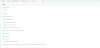
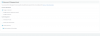
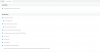
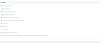
sorry but i can not find such a fucntion Can see group recordings... can you please check the pictures?
 

Attachments

  • 1.png
    1.png
    17.8 KB · Views: 68
  • 2.png
    2.png
    33.4 KB · Views: 65
  • 3.png
    3.png
    28.7 KB · Views: 56
  • 4.png
    4.png
    29.2 KB · Views: 52
  • 5.png
    5.png
    23.7 KB · Views: 57
I think the option is in v16.
 
how can i update to v16? from my version? or what can i do with this one? how to activate? :(

I confirm the option is present on v16 under Rights tab.

To update, you first need to be sure you have an annual license or an active maintenance. Then, you should be able to update under Settings -> Update.

If on Windows, you will need to full backup, uninstall, download and install v16, then restore backup.

Be aware that in v16, Standard edition features have changed. If you own a paid Standard license, you will be upgraded free-of-charge to Pro during update. If using Free, you will lose access to some features like queues, recordings, Office 365 and few others. If you already own a Pro or Enterprise, don't worry you're good to go.

Make sure to backup in any cases just to be sure.
 
  • Like
Reactions: craigreilly
I confirm the option is present on v16 under Rights tab.

To update, you first need to be sure you have an annual license or an active maintenance. Then, you should be able to update under Settings -> Update.

If on Windows, you will need to full backup, uninstall, download and install v16, then restore backup.

Be aware that in v16, Standard edition features have changed. If you own a paid Standard license, you will be upgraded free-of-charge to Pro during update. If using Free, you will lose access to some features like queues, recordings, Office 365 and few others. If you already own a Pro or Enterprise, don't worry you're good to go.

Make sure to backup in any cases just to be sure.
is there any other method without upgrading the system? is it possible to achieve this function?
 
Hi Giorgi,

Do you want to allow one user to see their own recordings, or to see all the recordings on the whole system from all the users just like an administrator?
 
Hi Giorgi,

Do you want to allow one user to see their own recordings, or to see all the recordings on the whole system from all the users just like an administrator?
yes i want to allow user to see all recordings in his/her panel, not on main admin panel :) webpanel of the user.
 
Hi Giorgi

This is not possible in V15, you can only do it from the management console, but I understand you might not want to give access to users there.

I would recommend to upgrade to V16 if this option is important to you.
 
Status
Not open for further replies.

Forum statistics

Threads
111,928
Messages
589,776
Members
164,799
Latest member
RicoDinero