Unable to see newly created contacts

rickhoekstra

Silver Partner
Advanced Certified
Joined
Mar 20, 2025
Messages
8
Reaction score
2
When we create a new contact, it doesn't sync with the phones. So the new contact doesn't show up there when we search for it, but we also don't see it when they call us.

When I try to add it via the webclient, I do see the added numbers there.

I allready reprovision the phone and did a factory reset, also the phones use the 3cx phonebook.
 

Attachments

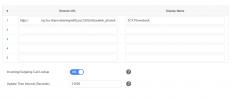
  • Schermafbeelding 2025-07-15 093800.png
    Schermafbeelding 2025-07-15 093800.png
    17.6 KB · Views: 5
  • Like
Reactions: Albert-Jansen
Hi,

Just to check, you waited for the set time?

Best,
KS.
 
What do you mean by waited for the set time?
 
The contact will only show you the mobile number one any phone. Did you check the contact has a mobilenumber set.
 
The contact will only show you the mobile number one any phone. Did you check the contact has a mobilenumber set.
So you are saying that it only shows mobile numbers? that sounds weird.
 
  • Like
Reactions: JohnS_3CX
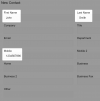
If you fill in these fields, and then choose Update in the Yealink phonebook option menus you will see them.
This while unusual has remained this way due to legacy reasons, so now you know what you need to do if you want numbers to appear on your device phone books.
1752569287174.png
 
  • Like
Reactions: bitn2
Yes, that was always the case.
It seems strange — if I’m a customer without a mobile number and only a landline, the system still correctly displays the customer’s number.
 
If you fill in these fields, and then choose Update in the Yealink phonebook option menus you will see them.
This while unusual has remained this way due to legacy reasons, so now you know what you need to do if you want numbers to appear on your device phone books.
View attachment 48639
So when the customer adds a new number, do they need to update the Yealink phonebook manually? What is the purpose of the 3CX remote phonebook?
 
So when the customer adds a new number, do they need to update the Yealink phonebook manually? What is the purpose of the 3CX remote phonebook?
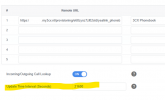
Go to the Phones page, click on Options to see the update interval.

The purpose is mainly to have a directory of:
1. all the user extensions (except the ones you excluded with "Hide User")
2. and the Company Phonebook entries, where you can add external contacts for all users to see
 
It seems strange — if I’m a customer without a mobile number and only a landline, the system still correctly displays the customer’s number.
Probably hadn't refreshed yet and was showing the old data. It takes a few seconds, then you can refresh the phone manually if you want to see the change immediately. If you don't have "Mobile" it will show just the First and Last name but no number.
 
  • Like
Reactions: Evolute IT

Latest Posts

Forum statistics

Threads
111,813
Messages
589,134
Members
164,629
Latest member
THUIN-IT