Unable to see phone numbers of parked calls T54w

ehaley

Customer
Joined
Aug 26, 2022
Messages
5
Reaction score
0
Hello,

We have 95% Grandstream phones right now and can see the phone numbers of parked calls and the phone numbers of current calls on the side car. I just installed two Yealink T54w with sidecar for the front office and the staff are giving me feedback that they can not see the phone numbers of parked calls or the phone numbers of ongoing calls on the sidecar. We are running an on prem 3CX V20 Update 5. I feel like I'm missing a setting. Can someone lead me in the right direction?
 
That's something specific that Grandstream does, it's not a standard feature on all brands.
 
  • Like
Reactions: Evolute IT
Thanks for the reply John. Below is the response I got from a ticket I placed with Yealink. I did reply and ask if it supports the feature.


"What you see if the label of this key. You can modify it via long press or 3CX dashboard.
Since call park is a server side feature and only server would know what exact number were parked at their server, so phone cannot do this without support from server. For example, Broadsoft platform support such a feature and will send to phone a SIP message to tell phone which number were parked. So please just have a check with your service provider if their server support similar feature, otherwise a fixed label can be displayed only."
 
We do actually send a standard SIP NOTIFY for BLFs / Shared Parking. That's precisely how the Grandstream is aware of the number of the caller, and how the Yealink phone knows to show red when the SP contains a caller and green when free. They both receive the same kind of message actually.

But the Grandstream goes a step further and extracts the information and shows it on the BLF. The Yealink doesn't. That's what I meant above in short.
 
Thanks for the information John. I really want to use Yealink going forward for 3CX compatibility, but I have some staff that see this as a deal breaker. I'm still hoping Yealink can help me.
 
Hi John,

I got a reply from Yealink about this. Is this possible?

1747312453400.png
 
Hi @ehaley

They certainly have a ton of cool features you can delve into if you want to spend the time on it, but I cannot advise any further.

Just wanted to make it clear that

a) not everything you see on an IP phone is a 3CX specific feature

b) we mainly care about provisioning your 3CX account along with a couple of other basics

The rest is entirely up to you if you want to delve into it but we don't really provide assistance with custom stuff.
 
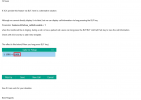
Thanks John. For anyone else that stumbles upon this. This alternate solution works if added to the YealinkT4 template (That's where the T54w is). Just make a copy first.
 

Members Online Now

Forum statistics

Threads
111,832
Messages
589,278
Members
164,662
Latest member
DejanMDS