Solved Unable to use Sharepoint for archive recroding

Status
Not open for further replies.

srane.sushant

Silver Partner
Advanced Certified
Joined
Feb 25, 2020
Messages
78
Reaction score
11
Hello 3cx

I am unable to configure SharePoint for archive my recording

I created communication site in root of share point as well as added Folder but when i am trying to configure in 3cx its not showing me that site.
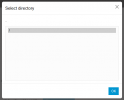
1732788612392.png


Just this box appear and when i click nothing happen.

My integration of office365 and 3cx is showing ok status.

Please help to resolve this issue.

I am using V20 3cx.
 
Its probably looking at your default site and you are not. Does it let you run a backup or anything to it?
 
  • Like
Reactions: Evolute IT
Its probably looking at your default site and you are not.
@Alphabetic Can you please help me how i make my 3cx to look at my site (I created communication site in SharePoint).

Does it let you run a backup or anything to it?

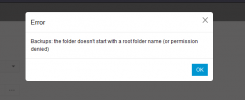
No it is not allowing me to save getting below error

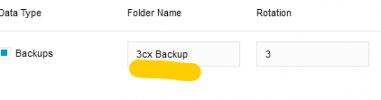
Your folder names below should start with the existing root folder names that you see in the dialog Select Folder / Path
 
3CX can only look at the default Sharepoint site and not any you've made.

it will be your root site <domainname>.sharepoint.com

you have to specify folder names from the "Storage" page
 
  • Like
Reactions: Evolute IT
getting same error.
1732803268138.png

I am global admin and has access to folder in SP.
 
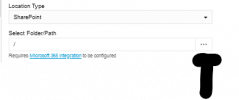
Under location type of Sharepoint you need to select a folder. You will need to go to your root sharepoint and create a folder.
 
Under location type of Sharepoint you need to select a folder.

How to select folder?

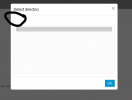
When i click on

1732803556557.png

This 3 ... i get this.

1732803595658.png

Here there there is no filed to edit.

When i click this nothing happen

1732803646304.png

If you don't mind can you please mark where i have to enter folder name and in what format?


You will need to go to your root SharePoint and create a folder.

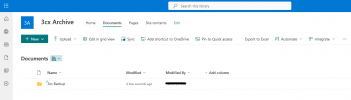
I created new communication site and create new folder inside that site.

https://mysite.sharepoint.com/sites/3cxArchive/Shared Documents/

1732803818206.png
 
Thank you its fixed.
 
Status
Not open for further replies.

Members Online Now

Forum statistics

Threads
111,832
Messages
589,285
Members
164,662
Latest member
DejanMDS