- Joined
- Apr 11, 2019
- Messages
- 4
- Reaction score
- 2
I frequently have to have conference calls where I initiate all of the calls (judges don't like being asked to call you). As such, I CANNOT use the 3CX feature to schedule a conference call, which sends everybody an email with a number and conference ID. That simply won't work for my calls. Also, the calls frequently have more than three participants, which is really what is causing all of my problems.
So, I wanted to do what I always was able to very easily and intuitively do on my multiple prior office phone systems, and simply dial the 1st number, hit conference, dial 2nd number, hit conference to connect all, and then I can simply hit conference again, dial 3rd number, hit conference to connect all, and keep repeating that as many times as I want to. Again, this has ALWAYS worked for me on every prior phone system, and it's simple and logical. Importantly, this process allows me to introduce the call and tell each person who is calling and what about before I join them to the conference. This also allows me to get through the receptionist or secretary or dial by name directory to get through to my intended caller before I joint them to the conference.
{I apologize in advance for the frustration that clearly bleeds through my text below, but I've now wasted hours and hours trying to accomplish something I was able to do instantly on every prior phone system, and finding ways to test 4-way calling is no easy feat, so, yes, I'm very, very frustrated at this point.}
This process works with my Yealink phones and 3CX system, as long as I only need three total people on the call. If I need more than that, everything completely blows up unbelievably. First off, my Yealink T54S will only support 3 callers. So, I'm stuck with trying to do this with the 3CX soft phone thru the Windows client, and that has so far proved, to be frank, to be an terrible joke. Here are all the ways that this does not work as it should:
So, I wanted to do what I always was able to very easily and intuitively do on my multiple prior office phone systems, and simply dial the 1st number, hit conference, dial 2nd number, hit conference to connect all, and then I can simply hit conference again, dial 3rd number, hit conference to connect all, and keep repeating that as many times as I want to. Again, this has ALWAYS worked for me on every prior phone system, and it's simple and logical. Importantly, this process allows me to introduce the call and tell each person who is calling and what about before I join them to the conference. This also allows me to get through the receptionist or secretary or dial by name directory to get through to my intended caller before I joint them to the conference.
{I apologize in advance for the frustration that clearly bleeds through my text below, but I've now wasted hours and hours trying to accomplish something I was able to do instantly on every prior phone system, and finding ways to test 4-way calling is no easy feat, so, yes, I'm very, very frustrated at this point.}
This process works with my Yealink phones and 3CX system, as long as I only need three total people on the call. If I need more than that, everything completely blows up unbelievably. First off, my Yealink T54S will only support 3 callers. So, I'm stuck with trying to do this with the 3CX soft phone thru the Windows client, and that has so far proved, to be frank, to be an terrible joke. Here are all the ways that this does not work as it should:
- What I CAN do is to create a new conference call, give it a Subject, and enter every single number all at once, then hit "Start now." That certainly gets everybody on the conference call, but it does so in a clumsy and ridiculous way where every caller is answering at the same time and there is no possible way to announce who is calling or introduce the call. So that approach is a giant fail.
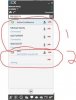
- Next up, I can call one person, hit conference, and then call a second person to join them to the call. So far so good. Now I just have to add another person to the call, which SHOULD be pretty simple. At the bottom of my existing conference call in the Windows client there is a big + button. I'm pretty sure that 100% of logical people would assume that button would allow you to add another caller to the existing conference. NOPE. Instead, it creates a second, separate conference call! Really? What human being on this planet has ever needed to have two separate conference calls going at the same time? And there appears to be no possible way to merge the two conferences, so, this approach gets another fail, and unbelievably so, because hitting that + really should simply accomplish my goal.
- I've also read on these forums that I can call the first person, blind transfer them to 700**{my extension}, then call another person, blind transfer them the same way, and then repeat. This also fails, because when I blind transfer the second person, I get forced into the conference call. So, I can once again manage a 3-way call, but then I'm stuck again. Once I am in that conference call, I get trapped in the problem above, which is that hitting the + to add more callers instead creates a completely separate conference call.