Update 8 Beta - Almost there!

Gotcha. That does seem incorrect. There's not another group/role assigned for that user, that has that checked?


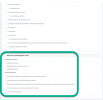
This setting ( Allow access to 3CX Management Console ) is global to the user.
It does not matter in which group, this parameter is not individual to each group (What I circled in green).


1689175142806.png
 
  • Like
Reactions: Guillaume Bourgeois
Does this mean that management console will be removed, if there will be no root admin?
Yes, over time, currently the publicly shared info is that MC will only contain non PBX specific settings, like network info, etc.
 
@Guillaume Bourgeois

not sure how to configure "Operator" extension as System Owner in setupconfig.xml (which tag to use?). I don't think it will be automatically assigned as system owner.

With setupconfig.xml only root account can be configured, but if we can't login with it after the setup is complete how to change one extension to system owner?

Thanks


XML:
  <extensions>
    <extension>
      <Number># # # # # #</Number> <!-- Extension Number -->
      <FirstName>My First</FirstName>
      <LastName>User</LastName>
      <EmailAddress>[email protected]</EmailAddress>
      <MobileNumber></MobileNumber>
      <OutboundCallerId></OutboundCallerId>
      <AuthPassword>REDACTED</AuthPassword> <!-- Authentication password, enter secure value a-z, A-Z,0-9, minimum 10 characters -->
      <AuthID>REDACTED</AuthID> <!-- Authentication ID, enter secure value a-z, A-Z,0-9, minimum 10 characters -->
      <AllowLanOnly>true</AllowLanOnly> <!-- true false-->
      <RecordCalls>false</RecordCalls>
      <TemplateFilename></TemplateFilename>
      <!--http://www.3cx.com/wp-content/uploads/2016/11/Phone-templates-and-Models-Sheet1.pdf -->
      <ProvisioningFilename2></ProvisioningFilename2>
      <!--http://www.3cx.com/wp-content/uploads/2016/11/Phone-templates-and-Models-Sheet1.pdf -->
      <MAC></MAC>
      <Codecs> <!-- Codec Priority  - based on phone model - different phones support different codecs-->
        <codec>G711u</codec>
      </Codecs>
      <Language>LANG</Language> <!--take languages based on phone model - different phones support different languages-->
      <ProvisionType>RemoteExt</ProvisionType>
      <!-- Available values: LocalLan, RemoteExt, SBC -->                               
    </extension>
  </extensions>


I personally validated our script and I confirm that the user created during the configuration is automatically System Owner. No settings sent.

To change the user's role after finishing the initial configuration;
Go to 3CX Management Console > Extensions > Click on the extension you want to change its role > Rights TAB > Drop Down menu for each "Group Membership"
 
Nice job 3cx , Team integration looks very smooth. Any update on Rest API ?
Not answered yet: Is the REST API still on the roadmap?
Haven't heard much about it in the last months.
 
Not answered yet: Is the REST API still on the roadmap?
Haven't heard much about it in the last months.
Yes, not answered, waiting for input from 3cx side.
 
Rumor has it that it's coming, but not in v18.
 

Forum statistics

Threads
111,993
Messages
590,178
Members
164,933
Latest member
bunthoeun.may