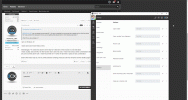
Update for Windows Desktop App Bringing Custom Hotkey Shortcuts

Hello
It's great to see the hot-keys back :)

I am having a bit of an issue with the Copy number from clipboard hot-key. It will paste the last entry from the clipboard into the dialler with no problem, but it will not copy the highlighted number from the application (web browser, outlook etc) and paste it into the dialler - like it does on the original windows client.

For our customers, this is one of the most used hotkey functions, but having to copy first then use the hotkey rather defeats the object of having it!

Is this a known issue and will it be fixed?

Thanks
 
  • Like
Reactions: N_G
@NeilSmith_UBT can you please be more specific ? You have a selected text on browser for example and you click the hotkey for "Copy number from keyboard" and you are not getting that selected text on 3CX Desktop App Dialer ?

What OS you are working on ?
 
@NeilSmith_UBT can you please be more specific ? You have a selected text on browser for example and you click the hotkey for "Copy number from keyboard" and you are not getting that selected text on 3CX Desktop App Dialer ?

What OS you are working on ?
I am on Windows 10

I have done some more tests on this

Interestingly, F11 works fine (but this is the key for Fullscreen in the browser so not that ideal)
I have usually used Ctrl Alt z for this function but it does not work, I have tried various other combinations like alt z alt x but they don't work. I have found that Ctrl 1 works OK and this is quite an easy combination.

Seems like there may be a bit of conflict between existing shortcuts built into windows and the desktop app?
 
@NeilSmith_UBT Unfortunately I cannot confirm what you are saying. As you will see I set the ctrl+alt+z and selected a text and pressed the hotkey and works just fine.

Please give it a check on different PC as something is related to your configuration and let us know.

2021-10-13_12h29_35.gif
 
  • Like
Reactions: NickD_3CX
Hi, after installing the new Windows client, the app is blocked by applocker because you haven't signed the executable "3CXDesktopApp.exe".

Could you resolve this ?
 
@cef-informatique waiting for your feedback on the personal message that I send you.
 
Hello!!

And about extension for web client for Mac or Linux users, we gonna loose the extension in v18 and use just the web of the page view? :(

We have some customers who is using 3cx in linux desktop with extension and this is great for!
 
We are making a copy of the old extension so that v18 users can use this for mac and linux desktops until the mac client is released. At some point linux users will have to use a linux softphone if the webclient is not enough.... As the extension and the APIs it uses will be retired.
 
  • Like
Reactions: jed
We are making a copy of the old extension so that v18 users can use this for mac and linux desktops until the mac client is released. At some point linux users will have to use a linux softphone if the webclient is not enough.... As the extension and the APIs it uses will be retired.
I'd say it's their problem at that point. You can't control what Google does with their APIs.

At least those customers will have a "client" in the meantime.
 
  • Like
Reactions: N_G and jed

Latest Posts

Members Online Now

Forum statistics

Threads
111,844
Messages
589,330
Members
164,680
Latest member
JV J