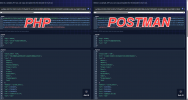
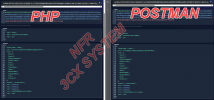
<?php

function authApi($base_uri,$username,$password){
$url = $base_uri . 'webclient/api/Login/GetAccessToken';

$data = array(
"SecurityCode" => "",
"Password" => $password,
"Username" => $username
);

$ch = curl_init();
curl_setopt($ch, CURLOPT_URL, $url);
curl_setopt($ch, CURLOPT_POST, true);
curl_setopt($ch, CURLOPT_POSTFIELDS, json_encode($data, JSON_UNESCAPED_SLASHES | JSON_UNESCAPED_UNICODE));
curl_setopt($ch, CURLOPT_RETURNTRANSFER, 1);
curl_setopt($ch, CURLOPT_VERBOSE, true);
curl_setopt($ch, CURLOPT_HTTPHEADER, [
'Content-Type: application/json'
]);
$response = curl_exec($ch);
$result = json_decode($response, true);
curl_close($ch);
echo "\nAccess Token: \n" . $result['Token']['access_token'] . "\n\n";
return $result;
}

$base_uri = 'https://MyFQDN.3cx.ca/';   // For security reasons, I prefer not to publicly share my "test" FQDN.
$username = '110';
$password = 'M0Npbx2024!!'; // My test extension password (Don't worry, I changed it before sending you this message :-) )

$result = authApi($base_uri,$username,$password);

?>