Solved Upgrade Free Trial to PRO

Status
Not open for further replies.

double6jg

Bronze Partner
Basic Certified
Joined
Feb 4, 2021
Messages
73
Reaction score
9
I spun up a new Hosted by 3CX instance for a customer this morning via our reseller portal.
This has resulted in a Free for 12m Standard Licence but I need to upgrade to the Free PRO edition and there doesn't seem to be any mechanism to do so either from withing the Customer's Admin Portal or from within the Reseller Portal.
Can someone please point me in the correct direction?
 
@double6jg is this a new Trial Subscription or an old one which just got the Free Hosting offer ?
 
New Trial that will become Live shortly
 
New Trial that will become Live shortly
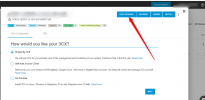
You should see the Free Upgrade button when opening the subscription popup in the new Portal. If you don't, then that key cannot be upgraded for some reason.
 
Thanks but I don't see any "Subscription Popup" anywhere
 
Thanks but I don't see any "Subscription Popup" anywhere
Can you PM me the key ?
Also is this a fresh new key assigned at customer’s new emails address or email you used is an old one ?
 
I will send you a PM in a minute but you may like to know that I have just created another for someone else as a consumer. That does give the upgrade options.
However it seems that a Reseller created edition doesn't get the option which seems bizarre.
 
  • Like
Reactions: Evolute IT
I have solved this but there is an issue when you create a Try Licence via Reseller Portal.
During the setup process you enter [email protected] but there is no prompt to create a password for this email address which becomes the Customer Account login.
Subsequent emails from the system do not include password info for this account.
The Free upgrade option is only available when logged on with this account.
To gain access it is necessary to use the forgotten password routine.

Alternative workround
If you create the Try Licence as the customer direct from the 3CX website "Try" link the setup routine does include password setup. You can upgrade to Free Pro etc and then link to Reseller afterwards.
 
@double6jg when you create a Lead yes there is no password as in this case you are the Partner who created the key not the owner of the key. We can not show the password of the end user 's portal to the Partner due to privacy reasons.
When owner of the key, end user in this case goes to portal and clicks the forgot password option, logs in and completes the profile they can see all the features for this key.
Same thing happens for the partner also where if the key is new, Free Upgrade button is there :


1647184970258.png
 
  • Like
Reactions: Evolute IT
I will need to check but I don’t remember seeing that option during the setup
 
Sorry no. I've not had a chance as yet. If you are right it would only appear once just prior to install.
 
@double6jg it appears when you create the Lead at your portal, no need to insttall it.
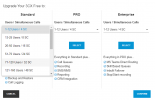
Keys are 4SC Standard and then you can upgrade them to the SC you want or upgrade for Free the version to Pro or Enterpside.
Check it out at your side, its very simple.


1647357434990.png
 
That explains it. I didn't create a lead. We went straight for Create Try Licence
 
Status
Not open for further replies.

Forum statistics

Threads
111,974
Messages
590,081
Members
164,899
Latest member
mazet