Hi hwong,
hwong said:
So if I make a change in the web interface the config file in the provisioning folder does change but nothing happens on the phone after clicking on Reprovision. So now my question is what can I do to make the phone(s) accept the changes or even add a new phone? Everything was working fine before the upgrade *sigh*.
so you use standard http to reprovision? What happens if you try to access a specific MAC file in this folder with your Browser (assuming that the PC has the same access rights/VLAN as the phone)
If you can access the folder, the phone should be able to access the file, too.
Do you use DHCP option 66 or do the phones have the complete path to the directory?
If they don't have the path, what does happen if you give the phone the path?
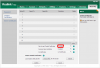
I asked about the (poweron enabled) because I had same issues with provisioning phones with poweron provisioning disabled.
#0-Disabled (default), 1-Power on, 4-Repeatedly, 5-Weekly, 6-Power on + Repeatedly, 7-Power on + Weekly;
auto_provision.mode = 1
It has to be set to 1, 6 or 7 or reprovisioning your phones via the pbx won't work.
You can check it on the phone webpage. But if provisioning the phones works just fine with 12.5 it looks like the problem is not with some settings with the phones.
I myself did not recognize my phones did not reprovision anymore, because they did reboot just fine and didn't show any error. So maybe, just a little maybe, it may still be the phone.