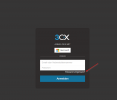
Upgraded to V20, cannot login anymore

Status
Not open for further replies.

houseofdreams

Free User
Joined
Feb 28, 2024
Messages
14
Reaction score
2
I was running V18, got the email I needed to upgrade to V20 before july, so I did (trough the command line, because the web version didn't work)

Upgrade was successful according to the upgrade script. Now I'm trying to login (internal ip address 10.10.100.100:5000) I get a similar login screen with a username /password, but when I use my "old" credentials that I used to acces the admin panel, I first got "username / password incorrect" a few times, now I'm getting "Ip blacklisted"

So I'm now forced to try to login from another internal machine, but this has no use to keep trying, if I'm clearly usin the wrong credentials? Again, the old credentials (admin/*********) are saved in Google Chrome, so the are correct to access the admin section..

What am I doing wrong?
 
You need to use the password reset function to set a new password:1709195024119.png
 
  • Like
Reactions: N_G
Allready tried it, but I don't recieve any mails. According to the XML backup, the SMTP server is correctly set to gmail, but maybe there's still something wrong there, because when I tried to set Gmail as the SMTP in the fresh install, it gave errors when trying to send a test email, so I ended up using the 3CX Smtp server instead, that worked fine.

So in the end, I think I'm just screwed. I will go on with the fresh install, take notes, take backups and then try to upgrade to V20 again.

Thanks to all for trying to help.
 
  • Like
Reactions: bitn2
@houseofdreams

From what I understand from the conversation, at the moment you have a V18 system and you have access to the management console and trying to login to the Admin console (Webclient) using the system owner extension.

If this is the case:
  1. From the Management console that you have access, edit the extension you want as system owner (i.e ext 100).
  2. Make sure that you have a valid and unique email configured for this extension.
  3. Check the "Rights" tab of the extension and make sure that the role assigned to the extension is "System Owner"
    If the extension is a member of multiple groups, set it to "System Owner" in all assigned groups.
  4. To test if you can receive emails from the PBX to that email address, go into Settings>>Email>>Notifications and configure that email in the field at the top of the page. Press OK.
    Open Email settings again and in the Mail Server tab, click "Test"
    If you receive a test email, you are on a good track.
  5. Go back to Users, check the checkbox on the left of the System Owner extension and click on the "Regenerate" button on the top bar.
  6. Check all the available options in the popup that appears and then click OK to proceed.
  7. At this point you should receive a Welcome email with links to reset your password.
  8. After you reset the password, you can login to the webclient using the email address of the user and the password you just set. Alternatively you can also use the extension in the Username field
 
  • Like
Reactions: bitn2
No, sadly this isn't the case. I had a running V18, that I upgrade to V20 before knowing all the important steps you describe above. Also no working SMTP so it seems.

The V18 I'm now talking about, is a fresh install, so sadly, after all the help, I know now that I'm completely locked out of the original installation.

Oh well, lesson learned. When I recieve an email I need to upgrade something, first take a few days to read a detailed manual, before diving in "blindly"

I now need to re-learn again, on how to auto-provision our phones, as the 3CX manual on this specific brand, doesn't seem to work.
 
It's been a few days, the new install and upgrade to V20 is done and running without problems now. Just needs some getting used to the new layout, but all in all it feels better, I finally can access everything from outside the network, iOS app also works, nice :)

Again, thanks for everyone that tried to help out.
 
  • Like
Reactions: bitn2
Status
Not open for further replies.

Forum statistics

Threads
112,328
Messages
591,905
Members
165,483
Latest member
AshleyStokes