Upgrading from V18 to V20 SQL error

Bruce Smith

Premier Customer
Basic Certified
Joined
Mar 28, 2020
Messages
75
Reaction score
19
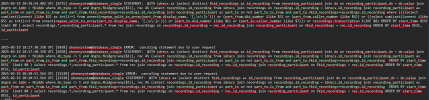
I'm looking at a customers 3CX there wanting to upgrade now from 18 to 20 but when I run the upgrade i get this error

See attached text file, as not able to post.

What doe it mean ??
 
There is no file. You can just paste a screenshot if you need to.
 
How are you trying to perform the upgrade?

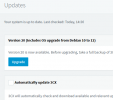
With a Linux system, you should just be able to click on the update button from the updates page. Just ensure that you have followed everything from the Checklist document we have https://www.3cx.com/blog/releases/v20-upgrade-checklist-faq/

For windows, you will have to take a backup of the system, uninstall Version 18, then download and install version 20, selecting the 2nd option to restore from your backup.
 
i clicked this to upgrade it

1740062176103.png

And I got an email with a log file in it with lots of that before failing...
 
Did you modify any repos, add any other software etc for monitoring?

Also, when you click on the update, do not interact with the system. Let it do its thing. It should take 20-25 minutes, and in some cases up to an hour. It will automatically appliy Debian 11, then Debian 12, then do the upgrade to Version 20. It takes time.

If push comes to shove you can take a backup of the system, and uninstall and install with the new ISO for version 20.
 
  • Like
Reactions: Bruce Smith
do not interact with the system. Let it do its thing. It should take 20-25 minutes, and in some cases up to an hour. It will a

Hi, the Base OS has not been modified, i got the failed email 2 min after starting the update, the customer does have https://www.callcenterdashboards.com/ set up on the system, i will reach out to them about removing and trying again.

If it comes to it i will do your last suggestion.
 
  • Like
Reactions: NicholasP_3CX
Hi Nick i got a reply just in case any one has the same issue with

:: FROM :: callcenterdashboards.com

The Upgrade will fail. 3cx doesn’t like Microsoft repository being added to the available list

Move the software by running this command :: sudo /var/lib/3cxccd/uninstall

When the upgrade is finished you can reinstall the software again.
 
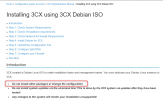
Its not just the Microsoft repository. It's any modification done. Our recommendation is to not have anythig extra installed.

1740064618114.png
 
Can you suggest an alternative full featured dashboard that runs remotely and i will get the customer to have a look.

Thanks,
 
  • Love
Reactions: Bruce Smith
Thanks for the update Nick.

You have a good day.
 
  • Like
Reactions: NicholasP_3CX

Latest Posts

Forum statistics

Threads
111,959
Messages
589,939
Members
164,861
Latest member
LewisJC