Upgrading to V20 with Call Flow Designer

Status
Not open for further replies.

MSteele25

Bronze Partner
Advanced Certified
Joined
Jun 26, 2023
Messages
17
Reaction score
0
I have a client that is running V18 with call flow designer. Does 3CX see any issue with the upgrade to v20 and issues with Call Flow Designer?

Want to make sure my ducks are in a row before the rollout.

If no issues are expected, then awesome!

Matt
 
You don't have to upgrade as soon as v20 comes out. You can wait a few months while it gets all the expected features (probably around U1 or U2.)
 
v20 and issues with Call Flow Designer?
I've read this morning 3CX CEO said CFD was expected to work without issues between V18 & V20
 
  • Like
Reactions: Evolute IT
CFD apps will work in v20 without changes. However, it's always a good practice to test this with time, just in case something external affects this. For example, in the past we have seen cases in which new SSL / TLS requirements added in the latest versions of 3CX broke working connections with old database servers. The solution to that was upgrading the database server. Mentioning this because as a rule of thumb everything should work, but if you're interacting with external systems, other things might need to be considered as well.
 
FYI at least one person has reported a possible issue in v20 with CFDs

In v20, it is no longer possible to transfer to a CFD from an extension (WARNING: this will break such call flows in existing installs when upgrading).
 
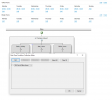
I have noticed that 3CX hours, specifically 3CX out-of-office hours don't work. I have a CFD using date and time conditions with the branch on the left set to use out-of-office hours, and the branch to the right using office hours. I noticed that the time condition executed is the office hours for even out-of-office time.

1717329979172.png
 
The idea is that CFD apps in v20 follow the configuration of the default department. But for this I think 3CX needs to release a new version of the CFD tool, which includes some changes on the generated C# script. Because the existing C# script will check the tenant properties, which are not visible from the 3CX console in v20.
 
  • Like
Reactions: Evolute IT
Status
Not open for further replies.

Latest Posts

Forum statistics

Threads
111,952
Messages
589,894
Members
164,844
Latest member
abctel2