- Joined
- Feb 9, 2018
- Messages
- 18
- Reaction score
- 2
Hello 3cx expert, I need little help to configure my 3cx pbx.
I have installed 3cx on virtual google cloud machine on debian stretch. At the time of installation I use customize ports 5000 >45000, 5001 >45001, 5060>45060, 5090>45090. After installation I accessed my pbx via web page https://my.ip.address:45001. I have configures VOIP.ms sip trunk & install 3cx on my android phone. I am able to receive incoming & outgoing on 3cx android app. So everything working proper upto this step.
Now I want to configure my Linksys SIP phone adapter with 3cx genetic sip extension. But this thing is not working. I have put these variable in Linksys ata
In LINE 1
Line Enable: yes
Nat Mapping Enable: yes
NAT keep alive dest: yes
Proxy: public ip of cloud 3cx
Register: yes
Make call without reg: no
Ans call without reg: no
Display name: 200 (ext. #)
User ID: 200
password: xxxxxxx (password set in extension on 3cx)
Use Auth ID: yes
Auth ID: xxxxxxx (user id set in extension on 3cx)
Under Audio configuration for Line 1
Preferred Codec: G711u
Linksys ata still not able to register the 3cx cloud pbx.
So I start troubleshooting
Also in google firewall I configured firewall according to new defined ports.
On cloud linux machine I try to check iptable settings by giving following commands & result
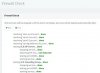
>>sudo iptables -L INPUT --line-numbers | grep -e 5060 -e 50902 ACCEPT tcp -- anywhere anywhere multiport dports 45000,45001,45060,45061,45090 tcp flags:FIN,SYN,RST,ACK/SYN ctstate NEW3 ACCEPT udp -- anywhere anywhere multiport dports 45060,45090
>> sudo iptables -S INPUT | grep -e 5060 -e 5090-A INPUT -p tcp -m multiport --dports 45000,45001,45060,45061,45090 -m tcp --tcp-flags FIN,SYN,RST,ACK SYN -m conntrack --ctstate NEW -j ACCEPT-A INPUT -p udp -m multiport --dports 45060,45090 -j ACCEPT
So iptable looks OK to me.
Is someone help me & guide me to make system work properly. Is I have problem in cloud pbx side or something wrong in my home network Linksys ATA side.
thanks
I have installed 3cx on virtual google cloud machine on debian stretch. At the time of installation I use customize ports 5000 >45000, 5001 >45001, 5060>45060, 5090>45090. After installation I accessed my pbx via web page https://my.ip.address:45001. I have configures VOIP.ms sip trunk & install 3cx on my android phone. I am able to receive incoming & outgoing on 3cx android app. So everything working proper upto this step.
Now I want to configure my Linksys SIP phone adapter with 3cx genetic sip extension. But this thing is not working. I have put these variable in Linksys ata
In LINE 1
Line Enable: yes
Nat Mapping Enable: yes
NAT keep alive dest: yes
Proxy: public ip of cloud 3cx
Register: yes
Make call without reg: no
Ans call without reg: no
Display name: 200 (ext. #)
User ID: 200
password: xxxxxxx (password set in extension on 3cx)
Use Auth ID: yes
Auth ID: xxxxxxx (user id set in extension on 3cx)
Under Audio configuration for Line 1
Preferred Codec: G711u
Linksys ata still not able to register the 3cx cloud pbx.
So I start troubleshooting
Also in google firewall I configured firewall according to new defined ports.
On cloud linux machine I try to check iptable settings by giving following commands & result
>>sudo iptables -L INPUT --line-numbers | grep -e 5060 -e 50902 ACCEPT tcp -- anywhere anywhere multiport dports 45000,45001,45060,45061,45090 tcp flags:FIN,SYN,RST,ACK/SYN ctstate NEW3 ACCEPT udp -- anywhere anywhere multiport dports 45060,45090
>> sudo iptables -S INPUT | grep -e 5060 -e 5090-A INPUT -p tcp -m multiport --dports 45000,45001,45060,45061,45090 -m tcp --tcp-flags FIN,SYN,RST,ACK SYN -m conntrack --ctstate NEW -j ACCEPT-A INPUT -p udp -m multiport --dports 45060,45090 -j ACCEPT
So iptable looks OK to me.
Is someone help me & guide me to make system work properly. Is I have problem in cloud pbx side or something wrong in my home network Linksys ATA side.
thanks