- Joined
- Jul 25, 2019
- Messages
- 56
- Reaction score
- 35
Hi all
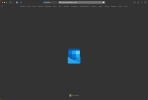
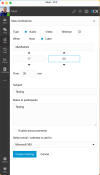
I've been using Microsoft 365 to send out invitations for scheduled video conferences and its been working perfectly, however I've noticed that now whenever I click the create meeting button, the browser window pops with the Microsoft URL and it just sits with an animated outlook envelope, I never actually get to the create new meeting window.
Has anyone else had this issue?
I've tried it on a couple of clients' systems too and the same problem appears.
Thanks in advance
Justin
I've been using Microsoft 365 to send out invitations for scheduled video conferences and its been working perfectly, however I've noticed that now whenever I click the create meeting button, the browser window pops with the Microsoft URL and it just sits with an animated outlook envelope, I never actually get to the create new meeting window.
Has anyone else had this issue?
I've tried it on a couple of clients' systems too and the same problem appears.
Thanks in advance
Justin