V Series Daylight Savings UK Wrong

kent3

Silver Partner
Joined
Nov 27, 2014
Messages
189
Reaction score
66
Hey gang, its that time of year when Fanvil cock up the UK daylight savings, this time it seems to have only effected the new models V series, anyone come across a fix yet? Ive raised a support case with Fanvil but probably wont get a reply for a few hours due to their working hours and time zone.

Crazy how many users rely on their desk phones time to keep track of the time of day xD
 
Update on this issue, if you look within the phone settings on web GUI, although the 3CX is set to UK, the Fanvil phone is set to Morocco as a location, interesting.

I'm getting replies from Fanvil support so hoping this will be resolved soon.
 
Am I the only UK user seeing this? Maybe its me
 
  • Haha
Reactions: paulodagraca
Hello kent3,

In the web-interface you will see the problem:
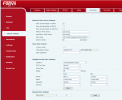
In automatic time settings: the (end) October is set to fifth week and not the fourth week as should be.
Set it to manual, and it will be sorted.
1761752013391.png
Paulo
 
  • Like
Reactions: kent3
Hello kent3,

In the web-interface you will see the problem:
In automatic time settings: the (end) October is set to fifth week and not the fourth week as should be.
Set it to manual, and it will be sorted.
View attachment 49958
Paulo
Cheers mate, so you saw it as Location "Morocco" too? even though the extension is set to UK timezone? Only issue is we have over 500 units, I don't really want to have to manually edit them all, plus there are some I don't have any access to at all.
 
Hello,

Quick Checklist:

- Check what Department the user belongs to
- Check the phone assigned under the user, is set to use Global Time Zone
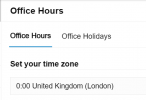
- Check the Department Office Hours, what time zone it has selected

1761753164729.png

I tried a V62 this way, it shows the correct UK time.
We assume you are using the 3CX provided firmware, on V20U7
If in doubt, factory reset one of them and assign it to the user anew

Take a look and let us know.
 
Hello,

I do think that next monday all will be good again, so just wait a few days and it will sort itself out.
From then, you will have a year to fix the problem, before it's end october again.

Paulo
 
Hello,

Quick Checklist:

- Check what Department the user belongs to
- Check the phone assigned under the user, is set to use Global Time Zone
- Check the Department Office Hours, what time zone it has selected

View attachment 49961

I tried a V62 this way, it shows the correct UK time.
We assume you are using the 3CX provided firmware, on V20U7
If in doubt, factory reset one of them and assign it to the user anew

Take a look and let us know.
Thanks for the reply!

The users are set to either global or UK times zones and the system global time zone is UK, I've also checked the office hours and they are all set to either UK or global.

3CX in v20u7 Fanvil V65 is 2.12.20

We do use custom templates so the user can perform simpler attended call transfers, we created the template late last year, maybe a new template was released which resolved this as we don't touch the NTP settings of the templates.
 
That's it, the custom template. There has been a change since last year (would have been around SP3 at the time you made it).

The change was specifically on the London time zone, for X and V series.

I suggest updating your custom template in this case.
 
  • Like
Reactions: kent3
That's it, the custom template. There has been a change since last year (would have been around SP3 at the time you made it).

The change was specifically on the London time zone, for X and V series.

I suggest updating your custom template in this case.
Thanks, Im just tryin with the 3CX approved template now, then we'll adjust the templates
 
  • Like
Reactions: paulodagraca

Members Online Now

Forum statistics

Threads
111,834
Messages
589,287
Members
164,663
Latest member
svdDGS