V16 Extension Missing within Manage Console

Status
Not open for further replies.

Jason Hayes

Advanced Certified
Joined
Mar 5, 2019
Messages
84
Reaction score
17
Hi Since upgrading to V16. Under the Extensions Tab, a lot of the extensions are missing. You can't you even search for them.
9955

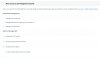
I have "Manage All extensions" for my extension.
9956

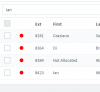
When I each for "ian" only one appears. Ext 8428 does not appear. It does not appear in the list even if you page through looking for it....
9957

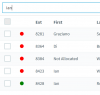
If I sign in as Admin (the mater password) and search "ian" it appears! Why is going on!!!! This is a management and admin big issue.
 
I would say the management settings have been reset, the boxes should be blue in colour.

Login, and reselect the permissions required
 
I would say the management settings have been reset, the boxes should be blue in colour.

Login, and reselect the permissions required
Made no differenece. The boxes are gray because the is the view from my logo on. if I sign in as Admin they are enabled. I signed in as Admin removed all the managment settings, click OK and added the again. Still within the Management Console, I can't manage all Extensions, even with the "Manage all Extensions" box ticked, as I can't find or see them from the Extension tab,
 
Hi Jason,

Does the user ext. 8428 "Ian" have any System Management rights?
 
Hi Jason,

Does the user ext. 8428 "Ian" have any System Management rights?

Ext. 8428 does have "Manage own extension" and "Generate call reports"

9986
 
This is not a bug, it's by design in V16 as part of making the system more secure.

If you as a user-extension you have access (of any level) to the Management Console, you can manage users below your elevation level only. System Management options are considered elevated rights in this particular case here, hence you cannot see those extensions or make any changes on them.
 
This is not a bug, it's by design in V16 as part of making the system more secure.

If you as a user-extension you have access (of any level) to the Management Console, you can manage users below your elevation level only. System Management options are considered elevated rights in this particular case here, hence you cannot see those extensions or make any changes on them.

So if a user has any kinda of access to the Management Console, in this case access to reports, you can't admin that ext. THAT IS MAD! This means, that the admin password is going to have to be shared around (not making it any more secure). What if that person who only knows the Admin username and password is on leave or sick! We are supporting 200+ Extensions. All this is going to achieve is me removing any Management Console access from everyone's ext, so we can admin their ext (as we have done in the past) and creating them a septate (new) Ext with Reports Access. This is not a practical solution, you have tried to resolve a security issue and created a bigger one.
 
Last edited:
Actually if reporting is what you need to allow, your suggestion is indeed a good and more secure way to accomplish this: to have an extension just for report generation and only give access to trusted members.

You get to keep functionality without compromising security amongst users/managers that exist on the same access level
 
Status
Not open for further replies.

Forum statistics

Threads
111,916
Messages
589,724
Members
164,787
Latest member
IWalter