v16 SBC and Custom Phone Templates

Status
Not open for further replies.

conversant

Silver Partner
Advanced Certified
Joined
Oct 23, 2008
Messages
23
Reaction score
12
The new SBC, so far, seems to be an improvement over the prior releases, but the continuing restriction on custom phone templates makes it impossible to use except in the most basic implementations. I have trying to find a way around this restriction for 3 days with no success. Has anyone been able to find a reliable way to deploy custom phone templates behind an SBC?
 
No idea about this, but why SBC should give some restrictions on custom templates?
Templates are on pbx side no? so if provisionning link is good it should go to your customised template if I'm not Wrong?

What do you need to customize ?
 
Equally confused. The SBC has absolutely nothing to do with PROVISIONING outside of relaying the SIP Multicast to 3CX. Otherwise PROVISIONING is strictly dependent on getting the correct URL to 3CX into the SIP device and then that device being able to retrieve said configuration via HTTP/HTTPS.
 
  • Like
Reactions: Evolute IT
Hi Cobalit,
You are absolutely right, what i wanted to say even my explainations are not the technical good one, this is if provisionning is doing well on phone there's no reason template can't be reach behind SBC
 
This has always been the case. Perhaps you have never attempted to use an sbc with a custom template. You cannot even select a custom template when provisioning a phone via the sbc.
 
I'm 99% sure this is the case but I'll test it here shortly.
 
This is well documented. I am not interested in having a debate about whether or not this is the case - it is. I am looking for a workaround. If you don't have any suggestions, you're just wasting time.
 
There are two options, none of them very pretty. As with anything the simplest method is to do the supported method. That being said I understand where you are coming from.

First step: Set phones up with the 3CX official template initially. Then do one of the two options.

Option 1 - The Manual Way: Edit the extension provisioning tab, copy the mac address into the copy buffer, delete the phone at the top of provisioning and re-add it again but choosing your custom template instead of the stock template. Then press OK and re-provision. Repeat for the remaining phones. Works ok on small deployments but annoying on large ones.

Option 2 - More Automatic: Follow option 1 for one phone and then export all extensions. Open the exported extensions into Excel and adjust the template file and model selections to match the phone that you manually adjusted. Then delete the extensions and re-import. If you already have DID rules configured for the extensions export that first and then re-import after importing the extensions. Then re-provision the phones.

If your when choosing your custom template the sbc option is unavailable then there is an error in your template.

With v14 it was a simple thing to switch the template assigned to a phone right from the provisioning page.
 
This is well documented. I am not interested in having a debate about whether or not this is the case - it is. I am looking for a workaround. If you don't have any suggestions, you're just wasting time.

I'm not the one coming here asking for help, you are. And part of that involves correcting what appear to be incorrect assumptions on your part. And yes, sometimes for ingrates it is a waste of time, but for the sake of others who may appreciate it, I'll follow-up here:

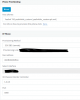
Since there was no real explanation on what you were trying to accomplish and why it wasn't working I created a custom template to confirm that you can, in fact, use custom templates with a SBC as I mentioned before. So I made a custom template for the Yealink T4x and created a bogus phone for my extension. I then downloaded the configuration to confirm it was correct:

11657

11658


So perhaps you could elaborate as to what you meant by this:

Has anyone been able to find a reliable way to deploy custom phone templates behind an SBC?

Because so far it seems to work fine.
 
This has always been the case. Perhaps you have never attempted to use an sbc with a custom template. You cannot even select a custom template when provisioning a phone via the sbc.
Yes, you are right have never used custom template behind anything, it was an answer that seemed to me to make sense . You thought it was not possible , the Cobalit test seems to prove the opposite .

If it works for test it should work in production no?
 
Correct, I am asking for a workaround, not someone who knows less about 3CX telling me that I don't understand the basics about 3CX. You think you have a workaround? Try to reprovision it. Try to do anything other than reboot it. Try to auto provision the phone directly. Do you think that I haven't already tested these options?
 
You are welcome, good night Conversant, it was a real pleasure, I appreciate.
 
Last edited:
  • Like
Reactions: Evolute IT
This has always been the case. Perhaps you have never attempted to use an sbc with a custom template. You cannot even select a custom template when provisioning a phone via the sbc.


Hi @conversant

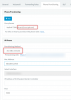
V16 SP2 example - Custom template selected, SBC provisioning selected.

11661

Are you on an older version of the PBX perhaps?
Are you trying to provision a device that does not support SBC? (SBC will not appear in drop down at all)
 
What conversant probably means is 'Assign Ext'. When you use this method, you can't choose a different template from the one provided by 3CX. He just explained it poorly.

Study the screenshots in this topic. Both cobaltit and JohnS_3CX give you the answer.
 
Status
Not open for further replies.

Members Online Now

Forum statistics

Threads
111,843
Messages
589,328
Members
164,680
Latest member
JV J