V18 Beta 1 - Gearing up for release

@ucninja thanks for the feedback.. re 2 - for queue calls you must use the 3cx client. The teams client will not be supported for queues / agents. For any " heavy telephony lifting" 3cx client is required. So also for receptionists for example with many transfers.
Thanks for the speedy reply, much appreciated!

That's a bummer. We have 300k+ seats of direct routing clients. 2/3's of which are multinationals that have call centers all over the globe. Each of these clients has tried a different CCaaS with 'Teams Integration" (i.e. just being able to deliver call to Teams and still running a the vendors client for presence control) and they are almost all now looking for a different solution that is actually stable/works. Doesn't seem to exist! Even if you guys charged an extra license fee for 'Teams Agents', on top of Enterprise SKU, I think you'd crush it (IMHO).
 
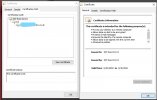
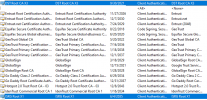
We use 3rd party certs. for the 3cx clients we manage, however I am helping a client who is running 18.0.214 and just noticed that the 3cx cert. provided cert. they are using is set to expire soon. I,e, the root CA expires 9/29/21.

Are you guys planning to address this prior?
 

Attachments

  • InkedCapture_LI.jpg
    InkedCapture_LI.jpg
    661.2 KB · Views: 8
  • Like
Reactions: Evolute IT
We use 3rd party certs. for the 3cx clients we manage, however I am helping a client who is running 18.0.214 and just noticed that the 3cx cert. provided cert. they are using is set to expire soon. I,e, the root CA expires 9/29/21.

Are you guys planning to address this prior?
Thanks, not sure that is a fix though? The actual cert. there system uses (issued by the above root) show's expiry of 11/7/21. If I look at aV16 box those certs are valid until 2022 and have the new root. Possible I am just not understanding, but wanted to make sure...
 
Thanks, not sure that is a fix though? The actual cert. there system uses (issued by the above root) show's expiry of 11/7/21. If I look at aV16 box those certs are valid until 2022 and have the new root. Possible I am just not understanding, but wanted to make sure...
As long as you have a box that has gotten root cert updates in the past few years you will be fine. Both DST and ISRG have signed the intermediate cert. Your browser is just showing you DST but you can remove that cert from the root store on your machine right now and see your browser will start showing ISRG.

Anything newer then ~6-2015 should have the ISRG root on it.
1632772166857.png
 
This usually happens if the login details don't match any of the extension emails or the integration hasn't been don correctly. Just to make sure:
  • You have correctly configured the MS365 integration and the banner at the top says "Status OK".
  • In the "User Sync" tab, you have synced the user you are trying to login with
  • In the "Sign In" tab, you have enabled both options (as you are trying to login to both MC and WC) and again, selected the user you are trying to login with.
  • In your AD App settings, you have checked the "ID tokens option" as instructed in the Management Console
    View attachment 23191

If you have done the above, then the next thing I would suggest is opening an incognito windows of your browser and try again.
In testing this SSO access we discovered that it appears 3CX assumes the users UPN value and Email value will match. Our UPNs were set from way before we ever had Office 365 and AD Azure so the UPN is assigned to the users "UserID" which is still in an email format ([email protected]). We haven't had an issue with other platforms using AD Azure ad the IdP as the users just log in with the ([email protected]) format. Is there something that can be alterned because we can set them to match but when 3CX sync's the next time with AD Azure, it replaces the email address and then the user can't log in with SSO again.
 
@pdmay01 ,

The best way to refine this one is via personal message. So please share via message any specific details to give it a check.

In the meantime let me explain some things:
  • User Sync will try to find a match based on email address on PBX and UPN/Email address on M365.
  • PBX will update the email to reflect the email set on M365. In the meantime also stores the UPN of the user as attribute on PBX.
  • User can use the UPN/Email address as it is set on M365 to do the SSO without any problems.
 
  • Like
Reactions: NickD_3CX

Forum statistics

Threads
111,981
Messages
590,112
Members
164,908
Latest member
FarizQasimov