V18 to V20

Status
Not open for further replies.

HS-ITops

Premier Customer
Joined
Oct 8, 2023
Messages
45
Reaction score
4
Hi Team

While Upgrading from V18 to V20. Currently we have IVR setup from CFD.
Do we need to re-setup for IVR from CFD or any inbound configuration changes? or can continue with same CFD will work?
 
Thanks for your response @NicholasP_3CX

Yeah, for DID we can assign if in case not. But I mean regarding CFD APP's which we obtained in V18 will it be reflected automatically in V20 with CPS section or manually we need to create again CFD setup?
It will be there automatically.
 
  • Like
Reactions: HS-ITops
They will be transferred over. One thing to note however is that if you have any time based scripts, these will take the time from the Default department.
 
Thank you @NicholasP_3CX

Scheduling Reports in V18 will it migrate to V20 U2 during upgrade or we need to re-create scheduling reports from scratch?
 
You will need to recreate them in Version 20
 
  • Like
Reactions: Evolute IT
V20 admin interface menus are a pain

Also its very bad scheduled reports work completely different.

You should leave a legacy option until next version
 
You will need to recreate them in Version 20
Any way to re-create them for each user without entering in their user interface? as i don t have the passwords and dont want to change them

It would be ok if i could change the destination email in the reports, but now each report is attached to the user
 
You mean, we cannot add email's in the Report to receive at the time of schedule. and only can able to see or receive the reports is Report generator?
 
You mean, we cannot add email's in the Report to receive at the time of schedule. and only can able to see or receive the reports is Report generator?
In v20 a report is created by a specific extension and thus emails to that extension.
 
  • Like
Reactions: Guillaume Bourgeois
To add to this in update 3. You will be able to add additional emails to schedule the reports so that you can email other people that are not the extension itself
 
To add to this in update 3. You will be able to add additional emails to schedule the reports so that you can email other people that are not the extension itself
any ETa of when will be that v3 available?
 
The Alpha was just released a few minutes ago.
 
  • Like
Reactions: HS-ITops
If we download from 3cx portal, It will be V20 U2 or V20 U3? Because we need to download the final version of V20 U2. Not Beta Version.
 
The download links of 3CX are ALWAYS production ready versions. We never publish the Alpha, Beta and release candidate versions to our download page.
 
Hi
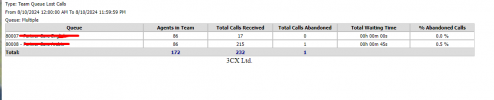
Visual Reports will be available in V20 U2 ? Please let us know if below reports are available in V20 U2?
  • Queue Ans/UnAns (Graph) and all (Graph) Reports.
  • Team Queue Lost Calls

1723385761014.png
 
Last edited:
  • Like
Reactions: Evolute IT
Hi @NicholasP_3CX

Hi
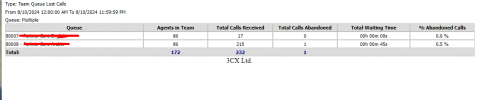
Visual Reports will be available in V20 U2 ? Please let us know if below reports are available in V20 U2?
  • Queue Ans/UnAns (Graph) and all (Graph) Reports.
  • Team Queue Lost Calls
1723468708630.png
 
Visual reports are not available yet. We are expecting this in one of our upcoming updates, with the Grafana integration, to allow you to use your call data and create any type of report you need. This is independent if we provide this report or not.
 
  • Like
Reactions: Evolute IT
Hi @NicholasP_3CX

Strange, is it removing Visual Reports from In-built 3cx Reports? Which mean degrading the Reporting system services after upgrade?
 
We will essentially be giving you alot more functionality. A bit of patience a bit longer, and you will have the capability to create any type of report you wish, visual or not!
 
  • Like
Reactions: Evolute IT
Status
Not open for further replies.

Forum statistics

Threads
112,285
Messages
591,704
Members
165,406
Latest member
ARKC