- Joined
- Nov 25, 2015
- Messages
- 244
- Reaction score
- 168
Hello!
I've just started trying the latest version of v20.
I am looking however for the Activity Log, or the new feature that is replacing that?
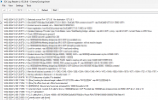
Particularly, I'm looking for the entries like this one:
This is a call coming in and it shows nicely the information about where the call is being routed.
To log goes on of course and states that it is routed to a group, that group has members and they are being called. It also shows things like 'no answer, routing to voicemail' et cetera.
This is not in the new Event Log of V20.
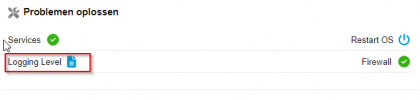
I did set the logging level to Medium on V20, that setting is still on the dashboard.
I also tried downloading the support ZIP-file, but I couldn't find this particular log file in there.
There are many log files in the ZIP file, but they are not really easy to read like the Activity Log was.
Is the Activity Log still available somewhere on the file system or anywhere?
It was really useful to trace why calls weren't going through properly. Mostly because of typos in the DIDs
Also, for outbound calls it really helps to see which rule is being selected.
Thanks!
I've just started trying the latest version of v20.
I am looking however for the Activity Log, or the new feature that is replacing that?
Particularly, I'm looking for the entries like this one:
| 02/14/2024 12:00:17 PM - [CM503001]: Call(C:152): Incoming call from Line:10002<<0x1x4x5x64 to <sip:[email protected]:5060> |
| 02/14/2024 12:00:17 PM - Line limit check: Current # of calls for line Lc:10002(@TrunkName[<sip:[email protected]:0/UDP>]) is 1; limit is 6 |
| 02/14/2024 12:00:17 PM - [CM503012]: Inbound office hours rule (unnamed) for 10002 forwards to DN:83 |
| 02/14/2024 12:00:17 PM - [Flow] No office hours set, office hours assumed |
| 02/14/2024 12:00:17 PM - [Flow] Looking for inbound target: called=777xxx09934; caller="3x5x5x3x6x4" <sip:0x1xxx5xxx@:0> |
This is a call coming in and it shows nicely the information about where the call is being routed.
To log goes on of course and states that it is routed to a group, that group has members and they are being called. It also shows things like 'no answer, routing to voicemail' et cetera.
This is not in the new Event Log of V20.
I did set the logging level to Medium on V20, that setting is still on the dashboard.
I also tried downloading the support ZIP-file, but I couldn't find this particular log file in there.
There are many log files in the ZIP file, but they are not really easy to read like the Activity Log was.
Is the Activity Log still available somewhere on the file system or anywhere?
It was really useful to trace why calls weren't going through properly. Mostly because of typos in the DIDs
Also, for outbound calls it really helps to see which rule is being selected.
Thanks!
Last edited: