V20 - Hide Extention

Status
Not open for further replies.

Maurice Lefevere

Gold Partner
Advanced Certified
Joined
Mar 20, 2018
Messages
62
Reaction score
10
Hey there,

How can i fully hide an extention i V20?.
In V18 there was an option called "Hide this extension from 3CX company phonebook and 3CX Apps" so when i loggin as the user: System Admin i didn't appear on any client's Desktop App.

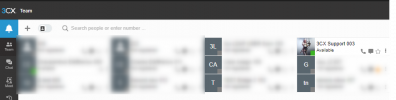
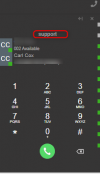
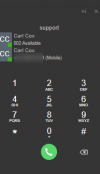
In V20 i can hide it from the company phonebook, but when logging in i am vissible in the Desktop App of all users..
 
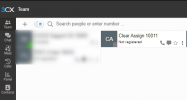
In v18, when you set the option to hide the extension from the company phonebook, this means that the extesnion will appear in the search when searching the company phonebook (company directory), but it still shows in the team view of the webclient/PWA or desktop app.

1712840072396.png

1712840001422.png


In v20 the option is called 'Hide from contacts' and does the same. It is visible in in the presence view (Team section) but not seachable.

1712839792276.png

1712839844304.png
 

Attachments

  • 1712839580373.png
    1712839580373.png
    101.7 KB · Views: 16
  • 1712839585306.png
    1712839585306.png
    12.2 KB · Views: 10
  • 1712839883499.png
    1712839883499.png
    7.1 KB · Views: 13
With the advent of System Owner, we use an extension which has no relevance except management of customers PBX it would be great to eliminate its view from Team? Is there a reason for it needing to be visible in Team?
 
  • Like
Reactions: aspectian
@SteveITS will try, searched on it but of course it did not come up because there are no longer groups in V20 just departments...

Thank you...
 
Status
Not open for further replies.

Latest Posts

Forum statistics

Threads
111,951
Messages
589,886
Members
164,843
Latest member
sambannoura