- Joined
- May 24, 2024
- Messages
- 7
- Reaction score
- 1
We have a client who's moving from a situation where they have multiple (region-based) DIDs on their main IVR, to having a single national DID.
They've asked if there's any way to identify which number people have dialed to reach them. All the DIDs are coming in on the same trunk, so I can't base it solely on that.
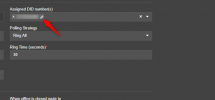
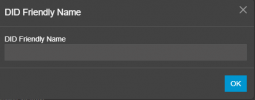
I've seen a few forum posts, which seem to be for v18, suggesting that setting "Admin", "System", "Phonebook", "Options", "Prepend Name" should add the name of the Inbound Rule to the caller ID that came in, but I haven't been able to find a way to name the Inbound Rules in v20, and all the automatically-generated rules seem to be nameless. The "Prepend Name" setting is currently in place.
Is this something anyone else has accomplished?
(v20.0 Update 3 Build 806, Pro license)
They've asked if there's any way to identify which number people have dialed to reach them. All the DIDs are coming in on the same trunk, so I can't base it solely on that.
I've seen a few forum posts, which seem to be for v18, suggesting that setting "Admin", "System", "Phonebook", "Options", "Prepend Name" should add the name of the Inbound Rule to the caller ID that came in, but I haven't been able to find a way to name the Inbound Rules in v20, and all the automatically-generated rules seem to be nameless. The "Prepend Name" setting is currently in place.
Is this something anyone else has accomplished?
(v20.0 Update 3 Build 806, Pro license)