I've seen a couple of comments that V20 only lets you have one unique email address per extension.
We have some phones in the office that aren't for regular people like a conference room, temp employees, interns, etc. The office manager wants to be in control of those phones so she currently has her email associated with those phones. Is there another way to manage phones a similar way in V20 or do we have to make up generic emails just to have unique emails associated with those phones?
Not sure what the purpose is for this change, but seems to be a change in the wrong direction.
As the email address is used for matching users for SSO, it would be
more painful if unique emails were
not enforced.
This is a change I'm all for (thanks team!) it just sucked that so many extensions in the platforms I oversee used a generic email for most of them so I had to do a lot of groundwork for v20 prep

We have deployed communal phones with dummy addresses like
[email protected]
(that's right, the unique email doesn't have to be real!) and just used RPS (
link here) to provision them from the console.
For others we manually configured the phone with details available from the IP Phone tab.
Regarding the "
The office manager wants to be in control of those phones", how so?
If it is purely for receiving emails notifying of missed calls, etc you can use "+" aliasing (if your mail provider supports it, such as
[email protected] would go to
[email protected]), additional aliases or a mailing list.
If it's for disabling the extensions when not in use to prevent unauthorised use of the phone system, you could make her a department administrator. This would allow her access to see what's happening, disable or adjust availability of the phones but would not give her admin access to the platform itself.
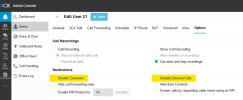
If this is more the case, then you might also want to check out the
Hotdesking feature of 3CX.
This way, a phone can be communal and on its own have no outbound call rights, but once a person "signs in" it will inherit their ability to call out, receive calls, etc
With the amount of change coming with V20 compared to earlier versions, it's worth taking a step back and review how your current environment is configured. The new Departments and associated permissions changes will let you put a lot of control back to the user as needed. A small process change for the end user but the results will be a more tailored system and less management overhead. If configured well, a manager (or anyone, really) should not need to log into the platform as another person to manage them.


