V20 Queues not queuing

pcwg

Premier Customer
Joined
Nov 11, 2021
Messages
11
Reaction score
3
Hi All,

I’ve recently rebuilt a v20 server and in the process on configuring it back up from scratch and either I’m tired and I’m missing something obvious or I’ve just fluked it all this time in my old setup and feel a bit foolish asking.
But why when using a call handling queue with a DID.
Why can’t my inbound callers ‘Queue’
In my testing
If I have two agents logged in, and both are on a a call, why does the next inbound call route to the option destination if no answer and caller hears “no agents available to take your call”

Shouldn’t it put them in the queue until the timeout (1800) is reached? Eg multiple
People call in to speak to sales, get some hold music , you’ve 2nd in the queue and progress until answered or timeout reached.

Ring strategy is : ring all. I’ve tried skill based routing also.
Wrap up is 20sec
Max callers in queue was 0 I moved to 50 incase 0 didn’t mean infinite.
SLA 180.
Holiday,office hours and break are set to “accept anyway” but no option like that for no answer.

Thank you in advance for your time and advice.
 
Are your agents logged in to the queue? Check in panel view.
 
Are your agents logged in to the queue? Check in panel view.
hi Alphabetic,

Thanks for the quick reply

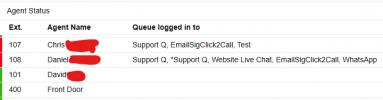
Yes logged in and visible in panel. Although when on the call, they don’t show in the queue logged in under agent status, but show on the call in the top panel.

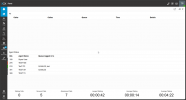
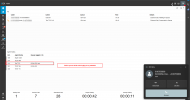
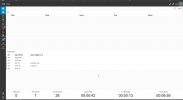
So right now, im the only operator logged in (ext 210)
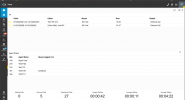
1744274970036.png


I call in from my mobile via the Queue DID, and i answer via the softphone.
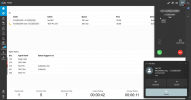
1744274981243.png


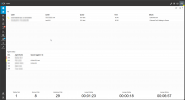
Call has been answered,

1744274993064.png

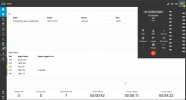
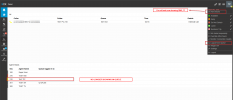
i keep the line open and call in from another mobile to the Queue DID

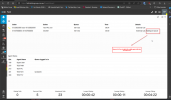
1744275005102.png

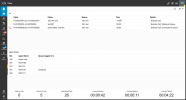
With destination if no answer set to send to Voicemail: Queue Test 801 - Call visible and transferred immediately to VM.
1744275018443.png


With destination if no answer set to END the caller receives : There are no available agents in the queue at this moment and call terminates

1744275037916.png


So in summary, If i have an available operator they will answer the first inbound call, its just when they are all on a call then the subsequent calls do not queue and route to the No Answer destination immediately.


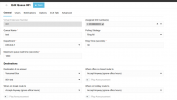
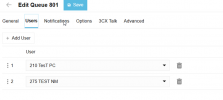
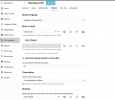
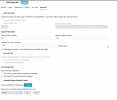
Heres the queue
1744275061914.png


1744275092895.png


1744275072291.png


1744275080806.png


Thanks again for taking the time to read and offer any advice.
 
Ok so your screenshot shows that 210 is not logged in to any queue and 275 is on DND so is automatically logged out of all queues.

Can you, from your extension, click on your avatar in the top right and choose to log in to queues.

this page should show you logged in:

1744275835791.png
 
Ok so your screenshot shows that 210 is not logged in to any queue and 275 is on DND so is automatically logged out of all queues.

Can you, from your extension, click on your avatar in the top right and choose to log in to queues.

this page should show you logged in:

View attachment 47405

yes right now im the only operator available hence 275 is dnd.
I'm sure im logged in. my avatar menu has me logged in, option only to log out of queue.
To confirm this, i followed your advice.
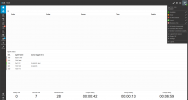
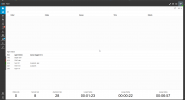
So looking at the panel, when im not on a call. I'm definitely shown as logged in to Q-Sales and Test.

1744276855681.png
I ring in, my extension rings - im still shown in queue
1744277119250.png

The second i answer a call, I drop from being in the Queue but am still shown as logged in on the avatar menu.
1744277253455.png
I terminate the call, after wrap up time . I go back to being available in the queue
1744277444363.png

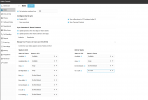
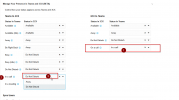
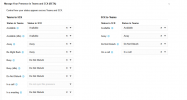
Side thought : I have M365 integration. could this be a conflict coming from Teams Status Sync.
Just in case here are my status sync settings
1744277396210.png
 

Attachments

  • 1744276807836.png
    1744276807836.png
    37.6 KB · Views: 1
So following my hunch, i turned off 365 Sync status for both directions and the subsequent calls now correctly queue into the call queues!! E.g I stay logged into the queue when im already on a queue call.

1744283285688.png

Ideally id like to keep the status syncd so i'll play around with the different options to see if i can find the misconfigured options. Any one else have this working and care to share?
 
Ahh, so it seems i have no way of on matching in a call and in a call. so 3cx gets a call, tells teams "im in a call " Teams goes hey 3cx im in a call so you better go DND!
1744283526649.png

Trying it now with setting it to "away"
 
same deal with away, looks like the only working config i can get is one way sync on in a call.
To acheive this click the x against Teams to 3cx " on a call " to set it as do not syncronise this presence.

Hopefully something more comes of this in the next release


1744285640155.png
 
Did you tick the option to accept multiple calls in the extension?
 

Latest Posts

Forum statistics

Threads
111,964
Messages
590,000
Members
164,869
Latest member
hpgitsupport