MCCDCHS
Customer
- Joined
- Jul 17, 2019
- Messages
- 59
- Reaction score
- 6
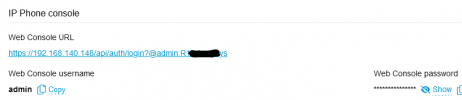
Found another issue: When Adding a New T58W Router phone the provisioning URL it provides on the following prompt after selecting direct connection is not the actual url. It doesn't work. You then need to go into the user and copy the real provisioning url.
This happened when adding a router phone to a user who already had a desk phone and wanted to add a 2nd desk phone for this user in the same location. (It may have grabbed the provisioning url from the first desk phone rather than the one for the new desk phone needing provisioning.)
Another Issue: After provisioning a router phone, the "reprovision" button is grayed out. Even power cycling does not make it available when the firmware version is out of date.
Enabling a "NEW" Router phone but having "Block remote non-tunnel connections" enabled prevents the phone from having service but it pulls the directory and phone configuration including the background image. However, a NEW router phone that was added via a local SBC first does not have this behavior. After the phone Links up and is green it seems to function normally.
Side note - This turns the SBC indicator to Green while the other - SBC added first then converted to remote connection - phones all show RED offline but work fine. Image to explain.
This happened when adding a router phone to a user who already had a desk phone and wanted to add a 2nd desk phone for this user in the same location. (It may have grabbed the provisioning url from the first desk phone rather than the one for the new desk phone needing provisioning.)
Another Issue: After provisioning a router phone, the "reprovision" button is grayed out. Even power cycling does not make it available when the firmware version is out of date.
Enabling a "NEW" Router phone but having "Block remote non-tunnel connections" enabled prevents the phone from having service but it pulls the directory and phone configuration including the background image. However, a NEW router phone that was added via a local SBC first does not have this behavior. After the phone Links up and is green it seems to function normally.
Side note - This turns the SBC indicator to Green while the other - SBC added first then converted to remote connection - phones all show RED offline but work fine. Image to explain.
Attachments

Last edited: