v20 WhatsApp delivery to group behaves weird

sanketgroup1

Premier Customer
Joined
May 15, 2020
Messages
7
Reaction score
0
Hello
We have successfully integrated WhatsApp Business API with 3cx since v18.

However, incoming messages do get delivered to internal users as configured.

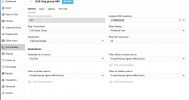
The following are screenshots of our settings:
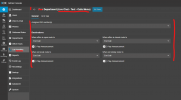
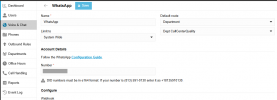
Default route is set to Department, and 'CallCenterQuality' has been selected.

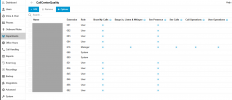
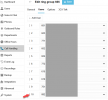
Department >CallCenterQuality>User/Extension
In this list, I have around 13 extensions; this list does not include Extension 751, but does include 882.
The problem is, even new first-time messages are being delivered to extension 751 with others, while ext 882 never received any WhatsApp messages.

Why ext 751 receive incoming messages when not part of the department, and 882 never receives, even it is part of the department?

Under Voice & Chat, I also tried to set Default Route to Ring Group and selected '666 Call Center Group'.
Call Center group also have ext 882, but still 882 does not receive incoming messages.

All screenshots are attached here.


1759476111935.png
======================================================


1759476119229-png.49600


===========================================================
1759476149688.png

====================================================
1759476168533.png
 

Attachments

  • 1759476119229.png
    1759476119229.png
    56 KB · Views: 73
Hi @sanketgroup1


Please note that calls and chats are not routed to the users listed in the 'Departments' section.

You can configure WhatsApp routing to use a Department, but you must then define a destination via the Call Handling menu.

Example:

Go to Voice & Chat > Edit the WhatsApp and set the 'CallCenterQuality' Department as the default route.

Then, go to Call Handling > Edit the relevant Department instance.

Select the desired destination for Open, Closed, and Holiday hours.

Note that if you select a Queue/Ring Group as the destination, messages will be routed to the users who belong to that Queue/Ring Group.

Please verify the Department Call Handling section and see where that is configured to route the calls/chats.
 
Hi @sanketgroup1


Please note that calls and chats are not routed to the users listed in the 'Departments' section.

You can configure WhatsApp routing to use a Department, but you must then define a destination via the Call Handling menu.

Example:

Go to Voice & Chat > Edit the WhatsApp and set the 'CallCenterQuality' Department as the default route.

Then, go to Call Handling > Edit the relevant Department instance.

Select the desired destination for Open, Closed, and Holiday hours.

Note that if you select a Queue/Ring Group as the destination, messages will be routed to the users who belong to that Queue/Ring Group.

Please verify the Department Call Handling section and see where that is configured to route the calls/chats.
even so, at our on-site installation incoming messages are addressed to one client only. And no, that client is not the first in the whatsapp group. I am going to be crazy to understand why..
 
even so, at our on-site installation incoming messages are addressed to one client only. And no, that client is not the first in the whatsapp group. I am going to be crazy to understand why..
Please ensure that this specific DID is not directly assigned to that client/extension.
 
Please ensure that this specific DID is not directly assigned to that client/extension.
thank you very much. very kind to reply. but unfortunately, whatsapp DID is assigned to no user, only to Whatsapp specific QUEUE.
 
Please ensure that this specific DID is not directly assigned to that client/extension.
I think problem is in windows softphone. If I use PWA,no problem
 
Hello,

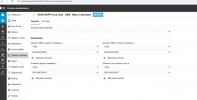
Just to make sure we are following all elements correctly, could you screenshot this page on your system:
Admin->Call Handling->[Department Name](Live Chat - Text -Calls Menu)
This is the the place that really defines where Whatsapp messages go to.
1761216545187.png
 
Hello,

Just to make sure we are following all elements correctly, could you screenshot this page on your system:
Admin->Call Handling->[Department Name](Live Chat - Text -Calls Menu)
This is the the place that really defines where Whatsapp messages go to.
View attachment 49836
many thanks once more. here you are
 

Attachments

  • ScreenHunter 08.png
    ScreenHunter 08.png
    45.6 KB · Views: 10
Hi,

1) If a WhatsApp chat between an outside party (A) and one of your PBX users (B) already exists, any new messages from (A) will continue going to (B) until that chat is marked as "Dealt with".

2) If the WhatsApp DID is assigned to anywhere it shouldn't really be, this will visible in the Inbound Rules report (https://pbx-url/#/office/reports/inbound-rules). Any DID assignment overrides other routing settings.
i) You can find where it is and remove it, letting it flow to the default destination
ii) You can explicitly assign the WhatsApp DID to the Department Chat Call Handler you shared above. This will remove the DID from any other assignment and lock it to the destinations and behaviour you defined there.