VAD design won't deploy to V14 Cloud install

Status
Not open for further replies.

ericosborn09

Bronze Partner
Basic Certified
Joined
Dec 3, 2015
Messages
32
Reaction score
0
Just upgraded our 3CX server to cloud version to allow for multiple tenants. After doing so, VAD is no longer finding any instances and we're unable to deploy. I've already re-installed thinking it would find it during install and looked through registry but didn't see anything referring to type of server. All documents seemed to be based on old version of VAD, as I'm unable to select what version and Web type etc.

As a workaround, we are able to Create a deployment package, run it on the same server and it finds the instances. Weird? This is okay but makes R&D very difficult.

Any ideas? Thanks everyone!

Eric
 
Hi Eric,

That's a known issue in the latest version of the VAD. It will be fixed in the next release, meanwhile you can use the deployment package.

Kind regards.
 
Deployment package doesn't find tenants either - only provides option to deploy directly. Eric, were you doing anything particular to get the tenants to list?
 
Are you in v14? Can you share a screenshot?
 
Miko, deployment package found them without problem. edossantos, any ETA on the release of the fix that you know of?
 
I don't have an ETA, but will be soon...
 
edossantos said:
Are you in v14? Can you share a screenshot?

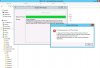
Please see attached...
 

Attachments

  • V14 VAD Failure.JPG
    V14 VAD Failure.JPG
    92.8 KB · Views: 8,568
Hi Miko,

Checking the stack trace, I see that the VAD is not detecting that your server is a cloud server.

This is checked from the registry, so please tell me the values you have here:
HKLM\SOFTWARE\Wow6432Node\3CX\PhoneSystem\ConfigVersion
HKLM\SOFTWARE\Wow6432Node\3CX\PhoneSystem\INSTALLATIONMODE

Thanks.
 
Hi

In the order you have them:

14.0.44241.523
MULTI

Regards
 
Hi there!

For other users that might have the same problem, the issue was related to 3CX Phone System installed in a different folder than the default program files folder. It was a bug in the VAD always looking for a configuration file in the default folder. This is fixed now.

Kind regards.
 
Status
Not open for further replies.

Forum statistics

Threads
112,322
Messages
591,887
Members
165,470
Latest member
Robert Lee